A Quick Look at Mobile App Types
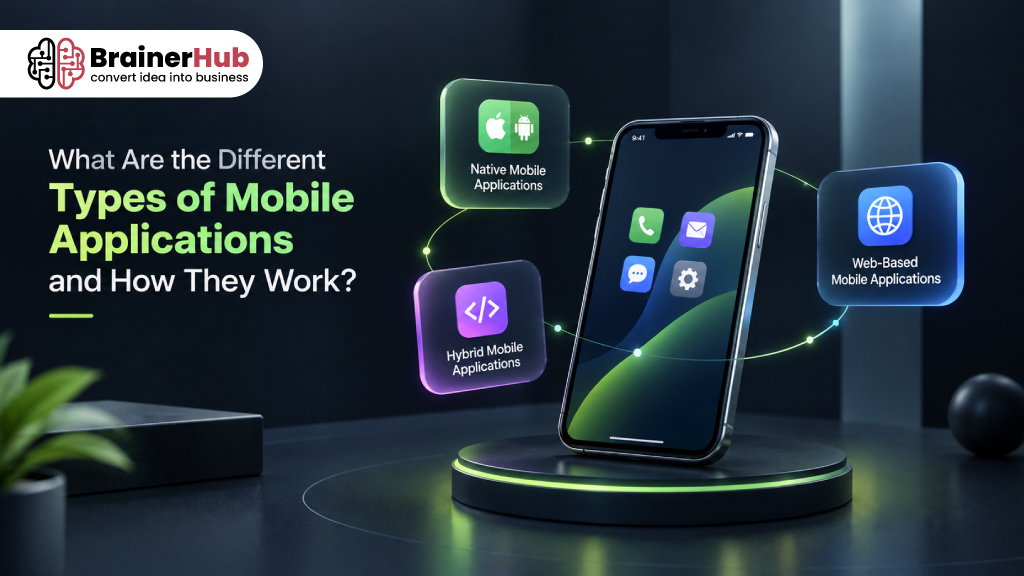
Mobile applications can be developed in different ways depending on the platform, performance requirements, user experience, and business goals. Native apps are built specifically for Android or iOS and offer strong performance and device integration. Hybrid apps combine web technologies with a mobile application container to support multiple platforms with shared code. Web-based apps run through a mobile browser and focus on accessibility and easier deployment.
The best approach depends on factors such as functionality, budget, development timeline, scalability, device integration, and the long-term product roadmap.
Key Takeaways
- Native apps are platform-specific and are generally best when performance, security, and deep device integration are priorities.
- Hybrid apps can provide cross-platform coverage while allowing developers to reuse a significant portion of the codebase.
- Web-based apps can provide broad accessibility through a browser without requiring traditional app installation.
- Cross-platform frameworks such as Flutter and React Native offer another option for businesses that want to build for multiple platforms from a shared codebase.
Introduction
Mobile applications have become an important part of how people communicate, shop, work, learn, manage finances, and access digital services. For businesses, a mobile app can create a direct connection with customers while offering features that may not be possible through a traditional website.
However, not every mobile application is built the same way. Depending on the business requirements, target audience, performance expectations, budget, and development goals, companies can choose between native, hybrid, and web-based mobile applications.
Understanding how each type works can help businesses choose the right approach before starting a mobile app development project.
In this guide, we will explore the different types of mobile applications, how they work, their advantages and limitations, and when businesses should consider each approach.
What Is a Mobile Application?
A mobile application (commonly called a mobile app) is a software application designed to run on mobile devices such as smartphones and tablets. Unlike traditional desktop software, mobile applications are designed to accommodate smaller screens, touch-based interactions, and device-specific capabilities.
Mobile apps can connect users with digital products and services directly from their devices. Businesses use mobile applications for a wide range of purposes, from customer-facing services and e-commerce to employee productivity, communication, payments, and industry-specific solutions. The way an app is built determines how it performs, what device capabilities it can access, how it is distributed, and how easily it can be maintained and scaled.
Mobile applications can perform a wide range of functions, including:
- Online shopping and payments
- Banking and financial services
- Social networking
- Food and grocery delivery
- Fitness and healthcare tracking
- Business and productivity tools
- Entertainment and streaming
- Education and e-learning
- Travel and transportation
Depending on how an application is developed and deployed, it can be categorized as a native app, hybrid app, or web-based application.
What Are the Main Types of Mobile Applications?
The three common types of mobile application development are:
- Native Mobile Applications
- Hybrid Mobile Applications
- Web-Based Mobile Applications
Each approach uses different technologies and has different requirements for development, performance, maintenance, and device compatibility.
1. Native Mobile Applications
Native applications are often considered the traditional approach to mobile app development because they are built specifically for the platform on which they run. This gives developers greater control over performance, user experience, and access to device capabilities.
A native mobile application is built specifically for a particular operating system, such as Android or iOS.
For example, an Android application may be developed using Kotlin or Java, while an iOS application can be developed using Swift or Objective-C.
Because native applications are designed specifically for a particular platform, they can interact directly with the operating system and device hardware.
How Do Native Apps Work?
A native app is installed directly on a user’s device. Once installed, the application runs using the device’s operating system and can access supported hardware and system features through native APIs.
For example, depending on permissions, a native app can interact with:
- Camera
- GPS
- Microphone
- Bluetooth
- Push notifications
- Biometrics
- Contacts
- Device storage
The application communicates with backend services through APIs when it needs to retrieve or send data.
For example:
Mobile App → API → Backend → Database
When a user opens a banking app, the mobile application may send a request to the backend through an API. The backend processes the request and returns the required information to the application.
Advantages of Native Apps
High performance:
Native applications are optimized for their target operating system and can deliver smooth performance.
Better device integration:
They can take advantage of platform-specific hardware and operating system capabilities.
Strong user experience:
Native apps can closely follow the design patterns and interaction standards of their platform.
Offline capabilities:
Many native apps can continue providing certain functionality without an internet connection by storing data locally.
Limitations of Native Apps
The biggest limitation is that separate development may be required for different platforms.
For example, if a business wants both an Android and iOS application, it may need separate codebases and development efforts.
This can increase:
- Development time
- Development costs
- Maintenance requirements
- Testing requirements
When Should You Choose a Native App?
Native development can be a good choice when:
- Performance is a major priority
- The app requires extensive device integration
- The application uses advanced hardware capabilities
- The product requires a highly customized user experience
- Platform-specific functionality is important
Native applications are commonly suitable for demanding products such as financial applications, high-performance consumer apps, gaming applications, and applications that rely heavily on device hardware.
2. Hybrid Mobile Applications
Hybrid applications offer a middle ground between fully native and web-based development. They are designed to combine the flexibility of web technologies with the ability to package an application for mobile platforms, making them an option for businesses that want to reach multiple platforms while reusing development work.
Hybrid applications combine elements of web and native application development.
Instead of building completely separate applications using platform-specific technologies, developers can create much of the application using web technologies and package it within a native application container.
Common technologies used for hybrid development include frameworks and tools such as Ionic and Capacitor, among others.
How Do Hybrid Apps Work?
A hybrid application typically uses technologies such as:
- HTML
- CSS
- JavaScript
The application is packaged so it can be installed and distributed through mobile app stores.
A bridge or framework layer allows the web-based application code to communicate with native device capabilities when required.
A simplified architecture looks like:
Web Technologies → Hybrid Framework → Native Device APIs → Mobile Operating System
This approach allows developers to reuse a significant portion of the code across different platforms.
Advantages of Hybrid Apps
Code reusability:
A large portion of the application can be shared across platforms.
Faster development:
Developers can potentially build Android and iOS applications with less duplicated effort.
Lower development costs:
Code reuse can reduce development effort compared with maintaining completely separate native applications.
Web technology familiarity:
Teams experienced with HTML, CSS, and JavaScript can use their existing skills.
Limitations of Hybrid Apps
Hybrid applications may not always provide the same level of performance as highly optimized native applications, particularly for demanding workloads.
There can also be additional complexity when an application needs deep access to platform-specific functionality.
When Should You Choose a Hybrid App?
Hybrid development can make sense when:
- You need applications for multiple platforms
- Development speed is important
- You want to reuse existing web development skills
- The application does not require extensive platform-specific functionality
- Budget and development efficiency are important considerations
3. Web-Based Mobile Applications
A web-based mobile application focuses on accessibility through a browser rather than requiring users to install a traditional mobile app. This approach can be useful for businesses that want their digital product to work across different devices while keeping deployment and updates relatively simple.
A web-based mobile application is accessed through a mobile web browser rather than being installed as a traditional application from an app store.
Users can open the application through a URL using browsers such as Chrome, Safari, Edge, or Firefox.
Examples can include mobile-friendly customer portals, booking systems, online dashboards, and web applications designed specifically for smartphone users.
How Do Web-Based Mobile Apps Work?
A web-based application generally works through a browser-server architecture.
The user opens the application in a browser, which communicates with the application’s web server.
A simplified process looks like:
Mobile Browser → Web Server → Backend → Database
The server processes requests and sends the required information back to the browser.
Modern web technologies can also make web applications feel similar to installed mobile applications.
Some web applications can support features such as:
- Responsive layouts
- Offline functionality
- Push notifications
- Home-screen installation
- Local storage
- Device features supported by modern browsers
Progressive Web Apps (PWAs) are one example of how web technologies can provide a more app-like experience on supported devices.
Advantages of Web-Based Apps
No installation required:
Users can access the application directly through a browser.
Easy distribution:
Businesses can share a URL instead of requiring users to download an application.
Cross-platform accessibility:
The same web application can potentially work across smartphones, tablets, laptops, and desktops.
Simpler updates:
Updates can generally be deployed on the server without requiring users to manually download a new version.
Limitations of Web-Based Apps
Web applications depend more heavily on browser capabilities and internet connectivity.
They may also have more limited access to certain device features compared with native applications, depending on the browser and operating system.
When Should You Choose a Web-Based App?
A web-based approach can be suitable when:
- Users need quick access without installing an app
- The application should work across multiple device types
- The business already has a strong web platform
- Easy deployment and maintenance are priorities
- Deep device integration is not required
Native vs Hybrid vs Web-Based Applications
The right approach depends on the requirements of the product rather than simply choosing the most popular technology.
Feature | Native Apps | Hybrid Apps | Web-Based Apps |
Installation | Required | Required | Usually not required |
Platform support | Platform-specific | Multiple platforms | Multiple devices |
Performance | Excellent | Good | Depends on browser and application |
Device access | Extensive | Moderate to extensive | More limited |
Code reuse | Low across platforms | High | Very high |
Development complexity | Higher | Moderate | Lower to moderate |
App store distribution | Yes | Yes | No |
Offline capabilities | Strong | Possible | Possible with modern web technologies |
Development cost | Usually higher | Usually moderate | Often lower |
Best suited for | Performance-intensive apps | Cross-platform products | Browser-based experiences |
How to Choose the Right Type of Mobile Application
There is no single approach that is best for every business. The right choice depends on your product requirements and long-term goals.
Choose Native Development If:
You need maximum performance, extensive device integration, or a highly platform-specific experience.
Choose Hybrid Development If:
You want to reach multiple platforms while sharing a significant portion of the application code.
Choose Web-Based Development If:
Your priority is broad accessibility, easier deployment, and allowing users to access the product through a browser.
Before choosing a technology, businesses should consider:
- Target audience
- Required platforms
- App functionality
- Performance requirements
- Device features
- Development budget
- Development timeline
- Scalability
- Maintenance requirements
- Security requirements
- Long-term product roadmap
What About Cross-Platform App Development?
Cross-platform development is another important approach that sits between traditional native development and web-based development.
Technologies such as Flutter and React Native allow developers to build applications for multiple platforms while sharing much of the codebase.
This approach is different from traditional hybrid development because modern cross-platform frameworks can provide a more native-like application experience.
For businesses looking to launch on both Android and iOS, cross-platform development can provide a balance between:
- Development speed
- Code reusability
- Performance
- Cost
- Platform coverage
The right choice between native and cross-platform development depends on the application’s technical and business requirements.
How Much Does Mobile App Development Cost?
The cost of developing a mobile application depends on much more than whether it is native, hybrid, or web-based.
Factors that can influence development costs include:
- Number of platforms
- Application complexity
- Number of features
- UI/UX requirements
- Backend development
- Third-party integrations
- API development
- Security requirements
- Testing requirements
- Infrastructure
- Post-launch maintenance
A simple application with a few screens will generally require significantly less development effort than a complex platform with real-time communication, payments, analytics, integrations, and advanced user management.
Therefore, businesses should define the product scope and technical requirements before estimating the development budget.
Mobile Application Development Process
Regardless of the technology selected, a successful mobile application generally follows a structured development process.
1. Idea and Requirement Analysis
The development team works with stakeholders to understand the business objectives, target users, features, and technical requirements.
2. UI/UX Design
Designers create the application’s user flows, wireframes, interface, and overall user experience.
3. Technology Selection
The team selects the appropriate development approach based on the application’s requirements.
4. Development
Developers build the frontend, backend, APIs, integrations, and other required components.
5. Testing
The application is tested for functionality, performance, usability, compatibility, security, and other quality requirements.
6. Deployment
The application is prepared for deployment to app stores or web infrastructure, depending on the selected approach.
7. Maintenance and Updates
After launch, applications require monitoring, bug fixes, security updates, performance improvements, and new features.
Build the Right Mobile Application for Your Business
Choosing the right application architecture is only the first step. From UI/UX design and mobile development to backend engineering, APIs, testing, deployment, and ongoing maintenance, each part of the development process affects the final product.
BrainerHub Solutions helps businesses transform ideas into scalable digital products through mobile app development, web application development, custom software development, and AI-powered solutions.
Whether you are starting with an MVP or scaling an existing application, the right technology strategy can help you build a product that is designed for your users and prepared for future growth.
Final Thoughts
Native, hybrid, and web-based applications each have their own strengths and limitations.
Native apps are suitable when performance and deep device integration are priorities. Hybrid apps can help businesses build cross-platform applications while reusing web technologies. Web-based applications provide broad accessibility without requiring users to install a traditional mobile app.
For businesses considering a new application, the most important question is not simply “Which technology is best?” but “Which approach best fits our users, product requirements, budget, and long-term goals?”
A careful evaluation of these factors can help businesses select the right development approach and avoid expensive technology decisions later in the product lifecycle.
Frequently Asked Questions
What are the three main types of mobile applications?
The three commonly discussed types are native applications, hybrid applications, and web-based applications. Cross-platform development is another important modern approach for building applications across multiple operating systems.
What is the difference between native and hybrid apps?
Native apps are developed specifically for a particular operating system, while hybrid apps typically combine web technologies with a native application container to support multiple platforms.
Are web apps and mobile apps the same?
No. A mobile app is generally installed on a device, while a web application is accessed through a browser. However, modern web technologies such as Progressive Web Apps can provide an app-like experience.
Which is better: native, hybrid, or web-based applications?
There is no universal answer. Native development may be better for performance-intensive applications, hybrid or cross-platform approaches may be suitable for multi-platform products, and web applications may be preferable when accessibility and easier deployment are priorities.
Are hybrid apps cheaper than native apps?
They can be, particularly when a large portion of the code can be reused across platforms. However, the actual cost depends on the application’s complexity, features, integrations, design, testing, and maintenance requirements.
Can a web application become a mobile app?
Yes. Depending on the existing technology and requirements, a web application can potentially be adapted into a mobile application or enhanced using approaches such as Progressive Web Apps. The best approach depends on the required functionality and device integration.
How do I choose the right mobile app development approach?
Start by evaluating your target users, platforms, required features, performance expectations, device integrations, budget, timeline, security requirements, and long-term product roadmap. A software development team can then recommend the most appropriate architecture and technology.