What You Need to Know
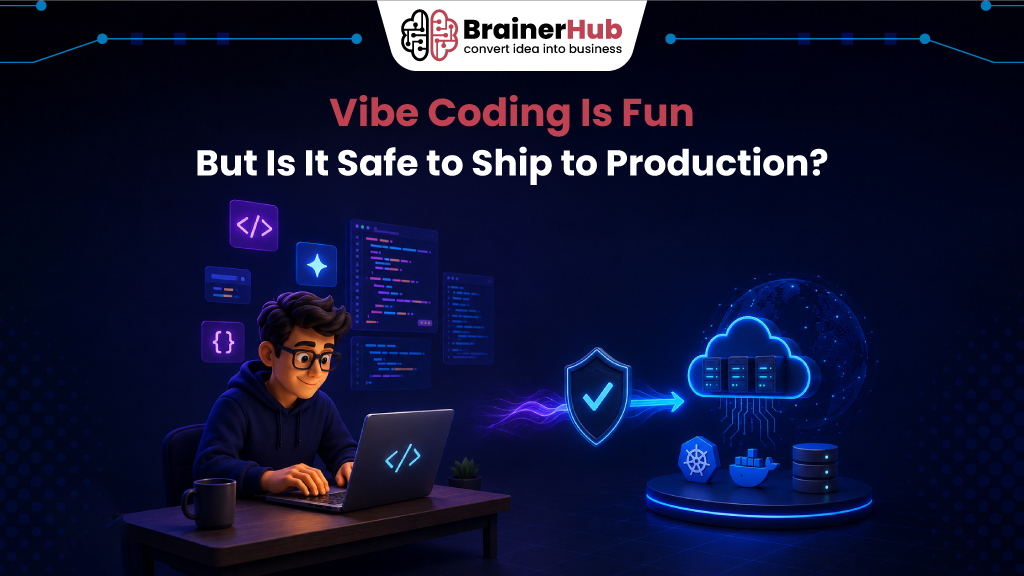
Vibe coding is an AI-assisted programming approach where developers describe features in natural language and AI generates the code. It significantly speeds up development and prototyping, but AI-generated code should never be shipped directly to production without human review, security testing, performance validation, and quality assurance.
Introduction
You open your editor, describe a feature in plain English, and thirty seconds later fifty lines of working code appear. No Stack Overflow tabs. No syntax errors. Just results. That’s vibe coding, and it’s changing how software gets built.
With AI coding tools powered by AI development services capable of generating functions, APIs, UI components, and even complete applications from natural language prompts, developers can build and prototype software faster than ever. Instead of spending hours writing repetitive code, they can focus on solving business problems and delivering products more quickly. But once the excitement of instant output fades, a harder question surfaces, Should you actually ship AI-generated code to production?
While vibe coding dramatically improves development speed, AI-generated code isn’t automatically production-ready. It can introduce security vulnerabilities, performance issues, hidden bugs, and maintainability challenges that require careful human review.
This guide explains what vibe coding is, how it compares to traditional programming, the real security risks of shipping AI-generated code, and the best practices for using it responsibly in production environments.
What Is Vibe Coding?
Vibe coding is a software development approach where developers use AI tools to generate code from natural language prompts, rather than writing every line manually. Instead of typing syntax, you describe intent and tools like GitHub Copilot, Cursor, or Claude Code translate that into working code.
The term was coined by AI researcher Andrej Karpathy in early 2025. It spread quickly because it named something developers were already doing. leaning on AI not just for autocomplete, but for entire feature implementations.
Vibe coding tools include:
- GitHub Copilot – inline AI suggestions inside your editor
- Cursor – an AI-native code editor built around multi-file context
- Claude Code – an agentic coding tool that reasons about whole codebases
- ChatGPT / GPT-4o – used widely for generating code snippets and debugging
A Brief History on How AI Changed Software Development
Software development has always evolved in waves from punch cards, to compiled languages, to IDEs with autocomplete. Each step reduced the friction between a developer’s intent and working code.
The jump from autocomplete to AI-generated code, however, is a different order of magnitude.
2021 – GitHub Copilot launches, changing what “autocomplete” means. Developers begin accepting AI line suggestions as a normal part of their workflow.
2023 – ChatGPT normalises generating full functions and scripts from plain-English prompts. Non-developers begin shipping small tools for the first time.
2024-2025 – Tools like Cursor and Claude Code introduce full-context AI agents. The developer’s role shifts from writing code to describing intent, reviewing output, and setting standards.
The people who adopted this fastest weren’t always senior engineers. Indie hackers, founders, designers with basic scripting knowledge, suddenly they were shipping real products. The barrier to entry for building software didn’t just lower, in many spaces it nearly disappeared.
Key Differences between Vibe Coding vs Traditional Programming
Understanding the trade-off between vibe coding and traditional programming is essential before deciding when to use each.
Traditional programming is slower to start but gives you deep code ownership. You understand every function, know where edge cases live, and when something breaks at 2 a.m. you have a mental map of where to look. The learning curve is steep, but it compounds, every bug you fix makes you sharper.
Vibe coding inverts this. You move fast, ship prototypes in hours instead of days, and build things that would have taken weeks of research. The trade-off you’re working with code you didn’t design from the ground up. Surface-level understanding replaces structural understanding. Debugging a system you didn’t mentally build is a harder, different skill.
| Traditional Programming | Vibe Coding | |
| Speed to prototype | Slower | Very fast |
| Code ownership | Deep | Shallow |
| Debuggability | High | Harder without review |
| Scalability | Proven | Depends on review process |
| Security control | High | Needs tooling |
| Best for | Complex systems, teams | MVPs, scripts, solo projects, POCs |
Is Vibe Coding Safe to Ship to Production?
The short answer, it depends on the context and your review process. A personal portfolio site carries very different risk than a SaaS app handling payment data or healthcare records.
Here are the most common ways AI-generated code fails in production environments:
1. Security vulnerabilities
AI models generate code with SQL injection holes, missing authentication checks, exposed API keys, and improperly validated user input confidently, with no warning. The code looks right. It runs. It passes a quick manual test. The vulnerability only surfaces when someone with bad intent finds it first.
A 2024 study found that over 40% of AI-generated code suggestions contained at least one security flaw when evaluated in realistic development scenarios.
2. Missing error handling
Production code must handle failure gracefully what happens when an API is down, a user sends unexpected input, or a file doesn’t exist. AI tools generate the happy path brilliantly. They skip the unhappy ones unless you explicitly ask.
3. Hallucinated dependencies
AI models sometimes import packages that don’t exist, or reference outdated library APIs. In the worst cases, this creates an opening for dependency confusion attacks where an attacker publishes a malicious package using the exact made-up name the AI referenced.
5 Rules Every Responsible Vibe Coder Should Follow
The developers using AI tools effectively aren’t the ones who trust them blindly, they’re the ones who built a review process around them.
- Read every line before it ships. If you can’t explain what a block of code does, what it’s calling, what it returns, what happens when it fails, it shouldn’t be in your production branch. This isn’t about distrust, it’s about ownership.
- Run automated security scanning on AI output. Tools like Semgrep, Snyk, and GitHub’s CodeQL take minutes to configure and catch a wide category of AI-generated mistakes before they reach users. Treat this as a non-negotiable step in your pipeline.
- Write tests first, prompt second. Define what “correct” looks like before asking AI to implement anything. If your test suite is written by you and the AI-generated code passes it, you have real coverage. If both the tests and the code came from the same AI session, you’re not testing, you’re generating confidence without substance.
- Keep commits small and auditable. AI can generate a large volume of code fast. Resist the urge to commit it all at once. Smaller, focused pull requests make AI-generated changes reviewable and reversible.
- Require a human sign-off on anything user-facing. At minimum, one person who understands the domain should review AI-heavy PRs before they merge. On solo projects, that means sleeping on it and reviewing with fresh eyes the next morning, not shipping the same night you built it.
The Future of Vibe Coding and AI Development
We’re still in the early stages. AI coding agents that autonomously write, test, debug, and deploy features are already in limited access in 2025, and the gap between “I described this” and “this is live” is narrowing every quarter.
This doesn’t eliminate the developer’s role, it changes it. The engineers who matter most in this environment won’t be the fastest typists. They’ll be the ones who can write precise requirements, evaluate system architecture, catch subtle logic errors, and recognise when an AI’s output is confidently wrong. Foundational programming knowledge becomes the floor, not the ceiling.
On the enterprise side, formal AI coding governance is emerging. Companies are introducing audit trails for AI-generated code, disclosure requirements in engineering guidelines, and mandatory review policies for AI-assisted pull requests. What’s a personal best practice today will likely be a compliance requirement within three to five years.
Conclusion
Vibe coding is real, it’s here, and it makes building software more accessible than it’s ever been. The productivity gains are genuine. AI tools meaningfully accelerate prototyping, reduce boilerplate, and help developers explore unfamiliar territory faster.
But “fun to build with” and “safe to ship” are different standards. The code your AI generates is only as trustworthy as the review process between it and your users. Skip that step, and you’re not moving fast you’re deferring the cost of being careless.
Use it. Enjoy it. Just don’t vibe your way past the part where you understand what you’re actually shipping.
Ready to turn your AI ideas into production-ready solutions? Contact our team for your next AI project. Whether you’re building an AI-powered application, integrating machine learning into your existing product, or developing a custom AI solution, our AI development experts can help you bring your vision to life.
Are you already shipping AI-generated code to production? What does your review process look like? Drop it in the comments sharing what’s working (and what isn’t) helps the whole developer community navigate this faster.
FAQs
Is vibe coding secure enough for enterprise applications?
Vibe coding can be used in enterprise development, but organizations should implement secure code reviews, vulnerability scanning, CI/CD security checks, and governance policies before deploying AI-generated code into production environments.
What are the biggest security risks of AI-generated code?
Common risks include SQL injection vulnerabilities, insecure authentication, hardcoded secrets, outdated dependencies, insufficient input validation, insecure API implementations, and missing error handling.
How should teams review AI-generated code?
Teams should use the same code review standards as manually written code, including architecture reviews, static analysis, automated testing, security scanning, documentation checks, and peer approval before deployment.
What industries should be most cautious when using vibe coding?
Healthcare, finance, government, cybersecurity, legal, and payment processing applications require stricter review because software defects or security vulnerabilities can have significant regulatory and financial consequences.
What is the difference between AI-assisted coding and vibe coding?
AI-assisted coding typically provides suggestions or autocomplete while developers write code. Vibe coding relies more heavily on natural language prompts to generate larger sections of code or complete features with minimal manual coding.