BrainerHub Solutions

Introduction: Software Is the Foundation of Every Startup

In today’s startup ecosystem, software is no longer just a supporting function; it is the product, the business model, and the competitive advantage.

From our experience working with early-stage and fast-growing startups at BrainerHub, one reality stands out:
Most startups don’t fail because of weak ideas; they fail because of poor software development decisions made too early or without a clear strategy in place.

In 2026, startups face:

  • Higher user expectations from day one
  • Shorter funding runways
  • Faster competition cycles
  • Rapid adoption of AI-driven development

This guide is designed to help startup founders and product leaders build reliable, scalable, and future-ready software without unnecessary complexity or wasted investment.

1. Software Development in a Startup Environment

Startup software development is fundamentally different from enterprise development.

Key characteristics:

  • Requirements evolve constantly
  • Speed of learning matters more than perfection
  • Small teams handle big responsibilities
  • Early decisions have long-term impact

The objective is not flawless software; it’s software that validates ideas, attracts users, and supports growth.

2. Define the Problem Before Writing Code

Before choosing a tech stack or hiring developers, startups must clearly answer:

Who is the user, what problem are we solving, and why does it matter now?

Strong startup teams:

  • Focus on one clearly defined user group
  • Understand existing solutions and gaps
  • Prioritize problems with urgency and frequency
  • Avoid building on assumptions

Skipping this step often leads to costly rewrites and delayed traction.

3. MVP Development: Build Only What’s Necessary

An MVP (Minimum Viable Product) is not a limited version of the final product; it is a learning tool.

An effective MVP:

  • Solves one core problem well
  • Can be built and tested quickly
  • Collects meaningful user feedback
  • Minimizes technical complexity

Common startup mistakes:

  • Overengineering architecture
  • Adding non-essential features
  • Optimizing for scale before validation
  • Ignoring usability

In 2026, successful startups prioritize focused MVPs that validate real demand before scaling further.

4. Choosing the Right Tech Stack

The best tech stack is not the newest; it’s the most practical.

Smart selection principles:

  • Familiar and well-supported technologies
  • Easy to hire developers for
  • High developer productivity
  • Flexibility to evolve

Managed cloud services, modern frameworks, and proven tools help reduce operational risk and accelerate development.

5. Agile Development That Works for Startups

Agile development is not about rituals; it’s about adaptability and fast feedback.

Effective startup Agile includes:

  • Short development cycles (1–2 weeks)
  • Continuous user feedback
  • Clear ownership and priorities
  • Outcome-driven planning

High-performing teams don’t just ship features; they validate outcomes.

6. Balancing Speed and Code Quality

Early-stage startups often struggle between moving fast and building clean code.

The right approach is a balance:

  • Write readable, maintainable code
  • Avoid premature optimization
  • Refactor continuously
  • Document key architectural decisions

Poor code quality slows growth faster than almost any external factor.

7. Scaling Software the Right Way

Scaling software means more than handling traffic; it also means supporting team growth, feature expansion, and reliability.

A healthy scaling path:

  1. Validate product-market fit
  2. Stabilize core functionality
  3. Improve performance and reliability
  4. Introduce modular architecture
  5. Automate testing and deployment

Scaling too early increases complexity. Scaling too late risks downtime and user loss.

8. Security, Performance & Reliability Are Mandatory

In 2026, users expect secure, fast, and stable software regardless of company size.

Startup essentials:

  • Secure authentication and access control
  • Encrypted data storage and transmission
  • Monitoring and alerting
  • Regular backups
  • Basic disaster recovery planning

Trust is built through consistency and reliability.

9. The Role of AI in Startup Software Development

AI has become a core part of modern development workflows.

Startup teams use AI to:

  • Accelerate coding and refactoring
  • Generate test cases and documentation
  • Analyze user feedback
  • Detect bugs earlier

At BrainerHub, we view AI as a development accelerator, not a replacement for engineering expertise. Human oversight remains essential, especially for security, architecture, and business logic.

10. Building a Sustainable Development Team

Great software is built by healthy, aligned teams.

Successful startups invest in:

  • Clear technical leadership
  • Knowledge sharing
  • Developer experience
  • Realistic delivery timelines

Burnout leads to fragile systems and missed opportunities.

Final Thoughts: Software Development Is a Long-Term Strategy

The most successful startups in 2026 understand that:

  • Software development is an ongoing discipline
  • Early decisions compound over time
  • Simplicity scales better than complexity
  • Learning is more valuable than guessing

When done right, software doesn’t just support your startup, it becomes your growth engine.

Do you have a project in mind? Talk to the experts.

    +91


    Allow only .jpg, .png, .pdf (max 5MB)


    Get in Touch

    We’d love to resolve your queries with personalized assistance.

    Our Office

    D-101/102/501/601 Titanium Square Building, Near Thaltej Cross Road, Sarkhej - Gandhinagar Highway, Ahmedabad, Gujarat 380059

    Leave a Comment

    Your email address will not be published. Required fields are marked *

    Scroll to Top

      +91


        +91


        Project Management Software

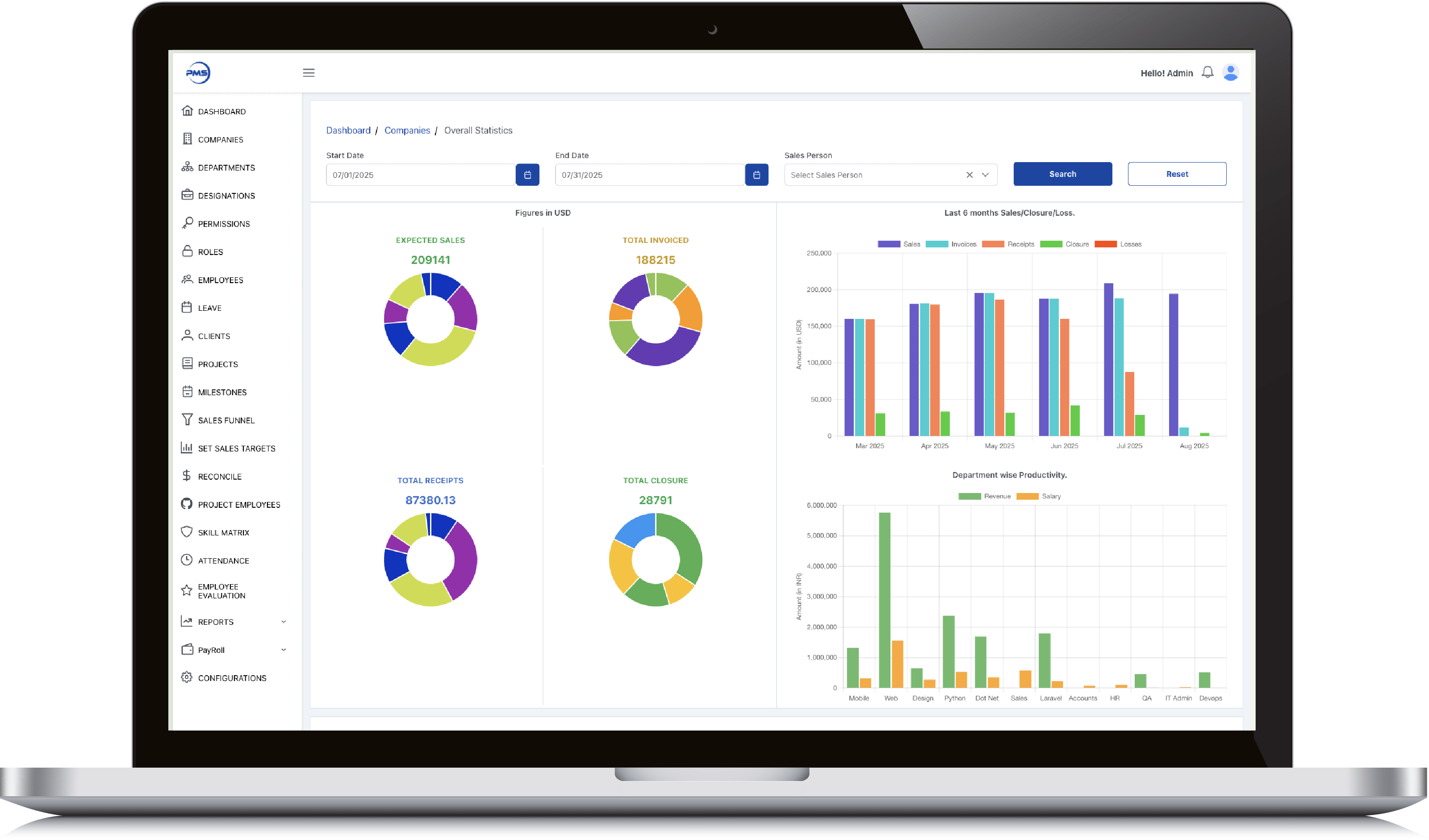
        Admin Dashboard

        • Smart date and salesperson filters let you slice performance data exactly how you need it.

        • Donut charts give instant clarity on expected sales, invoices, receipts, and closures.

        • 6-month comparative bar graph reveals trends across sales, receipts, and losses effortlessly.

        • Track department productivity by comparing revenue generated vs salaries paid out.

        • View 12-month earnings history in a clean graph to support long-term financial planning.
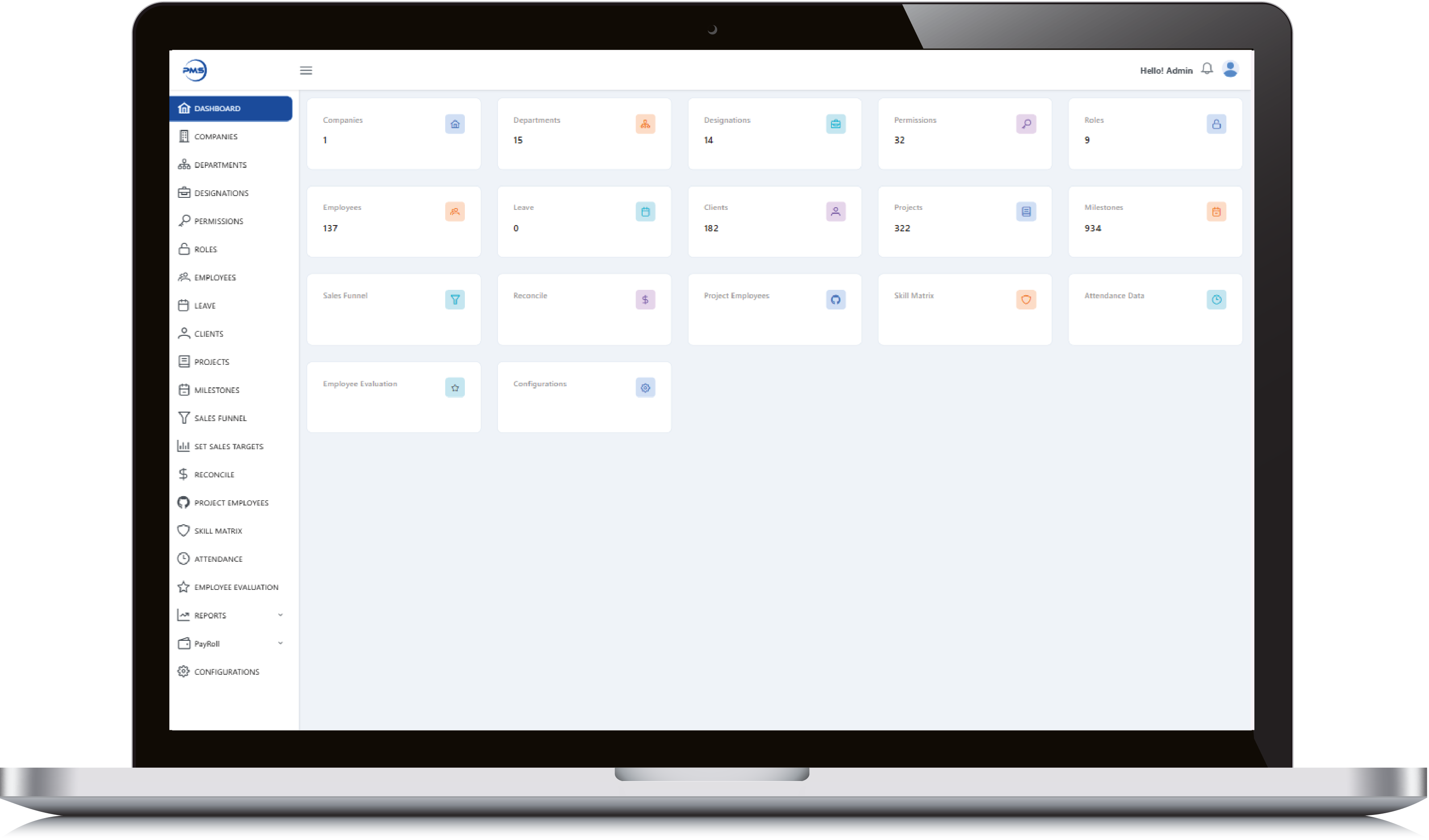
        Admin Dashboard

        Admin Dashboard

        • Get a high-level snapshot of all key modules, from employees to milestones, in one glance.

        • Quick-access tiles let you jump into clients, projects, and departments without extra clicks.

        • Live data counts keep you updated on active users, leaves, roles, and more in real time.

        • Manage critical HR, project, and evaluation tools from a single, centralized control panel.

        • Minimalist, card-based design ensures clean navigation and quick insights for admins.
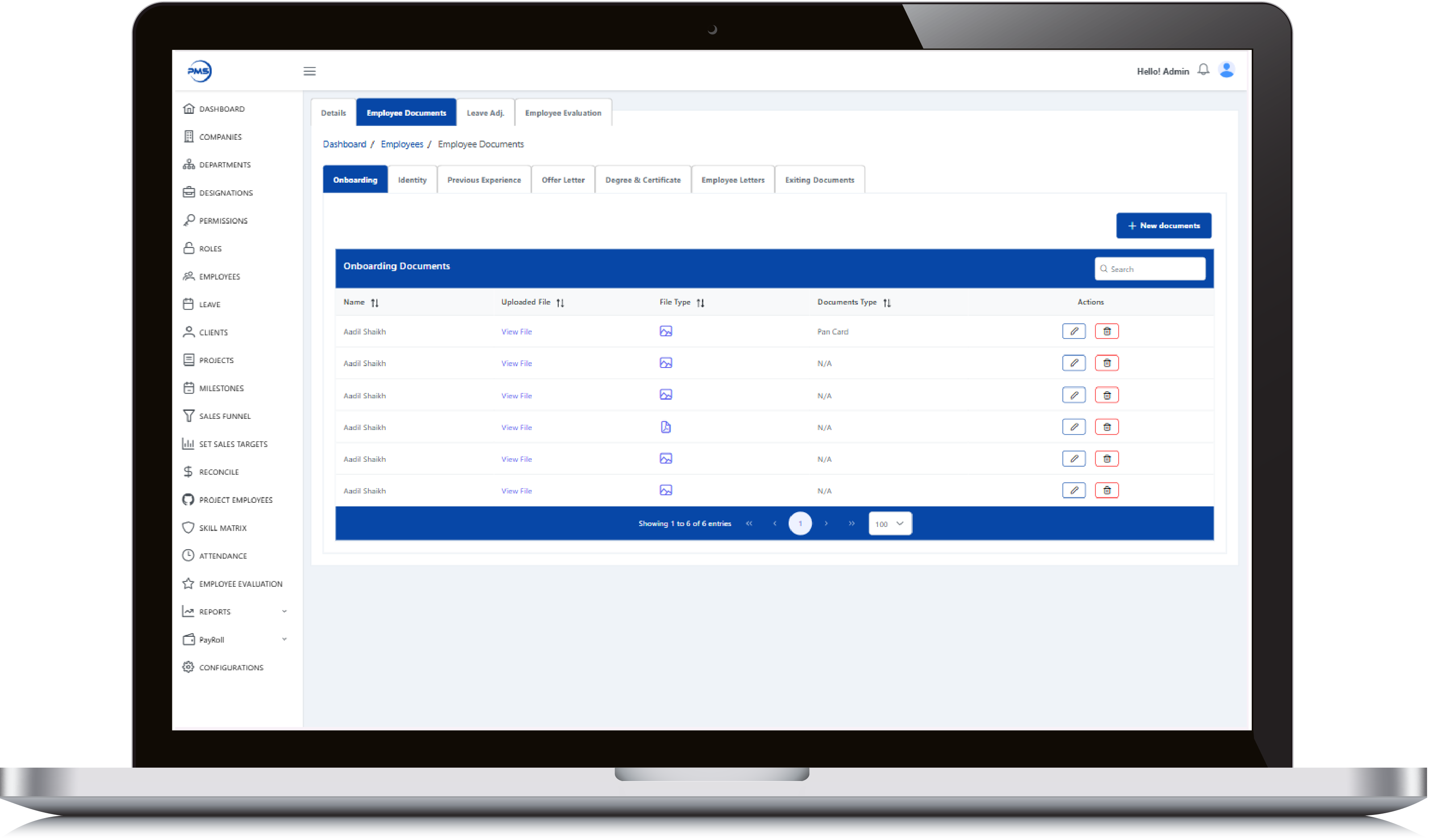
        Admin Dashboard

        Employee Dashboard

        • Evaluate employees with performance metrics across key criteria like feedback, efforts, and productivity.

        • Dynamic date and employee filters let you generate custom performance reports instantly.

        • Donut charts display category-wise and overall performance scores with clean visual clarity.

        • Track monthly performance trends through interactive, color-coded bar graphs.

        • Seamless interface ensures HR and managers can assess and compare evaluations effortlessly.
        Employee Dashboard

        Employee Dashboard

        • Track individual sales goals with a detailed breakdown of employee-wise yearly targets.

        • Quickly add, edit, or delete target entries using intuitive action icons.

        • Sort and search functionality enables fast access to specific target data.

        • Dual-tab view for switching between Yearly and Monthly targets effortlessly.

        • Clear date ranges and value indicators help monitor performance alignment throughout the year.
        Employee Dashboard

        Realinvestoo

        Admin Panel Feature

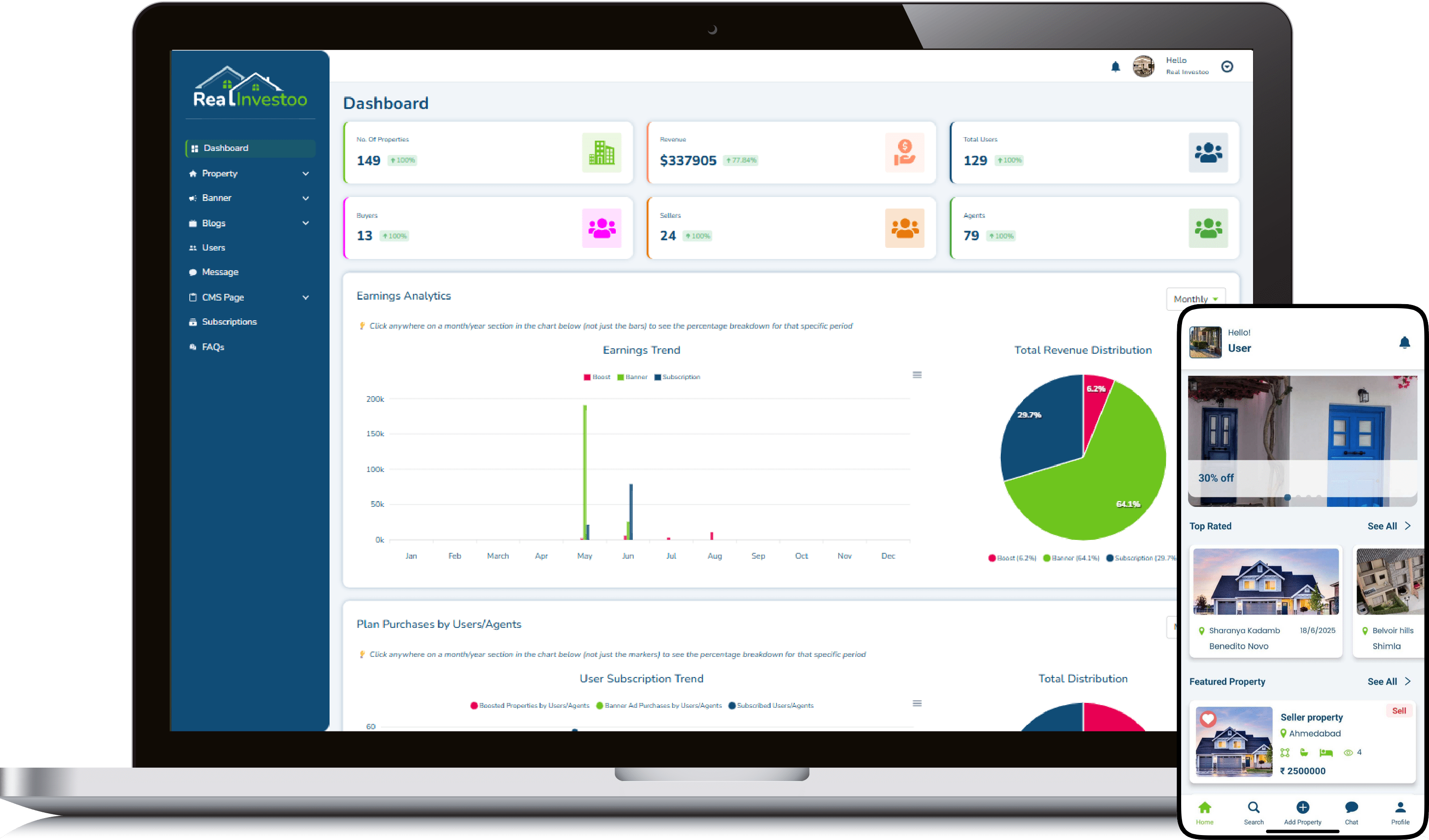
        • Intuitive dashboard gives instant insights into users, properties, revenue, and agents.

        • Real-time earnings analytics with monthly trend and pie chart breakdown.

        • Smart revenue categorization by Boost, Banner Ads, and Subscriptions.

        • Fully manageable CMS, banners, blogs, messages, and subscriptions from one panel.

        • Role-based user tracking: buyers, sellers, and agents with total user count.
        Admin Panel Feature

        Admin Panel Feature

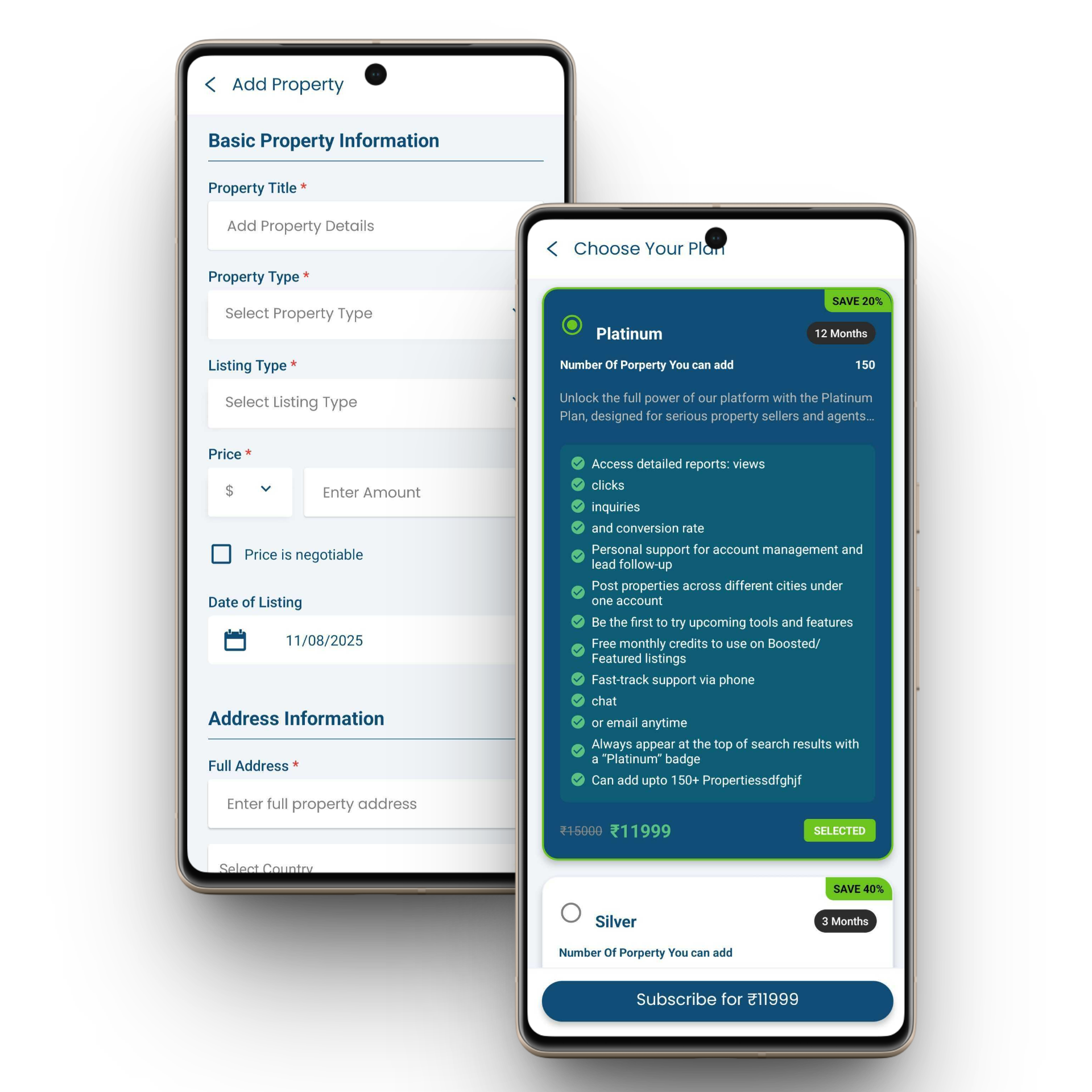
        • Seamlessly manage every listed property with edit, view, and delete at your fingertips.

        • Smart filters, real-time search, and draft visibility make property management effortless.

        • Instantly track property type, status (Sell/Rent/Lease), location, and views in one clean table.

        • Admin-level control with instant updates across 69+ properties, scale made simple.

        • Visual status tags (Sell, Lease, Rent) make portfolio oversight intuitive and quick.
        Admin Panel Feature

        User Feature

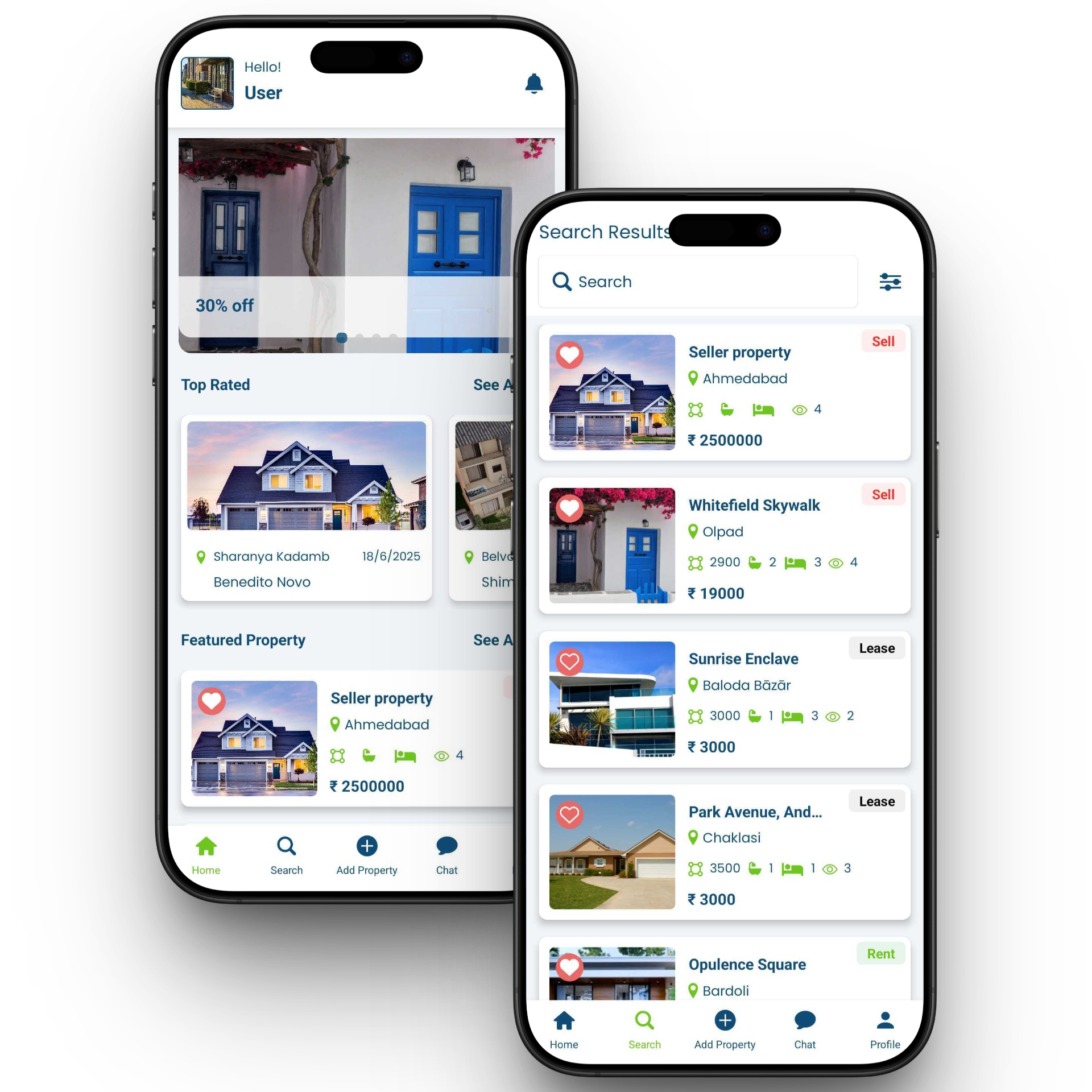
        • Personalized dashboard with user greeting and clean UI.

        • Discover top-rated properties with location and availability.

        • Highlighted featured listings with price, stats, and lease tag.

        • Easy bottom navigation for home, search, add, chat, and profile.

        • Detailed property cards with date, location, and images.
        User Feature

        User Feature

        • Powerful property search with location-based results.

        • Clear Sell, Lease, and Rent status tags on listings.

        • Favorite/heart feature for saving preferred properties.

        • Compact listing cards with area, beds, baths, and view count.

        • Integrated price display for instant decision-making.
        User Feature

        Food Delivery App

        Admin Panel Feature

        • Live Order Tracking get real-time updates from order placement to delivery.

        • Vendor & Menu Management  add, edit, and organize menu items with ease.

        • Flexible Commissions & Analytics set vendor rates and monitor sales performance.

        • Review & Feedback Control approve, reject, or reply to customer reviews.

        • Promotions & Campaigns create and schedule discounts, coupons, and offers.
        Admin Panel Feature

        Restaurant Panel Feature

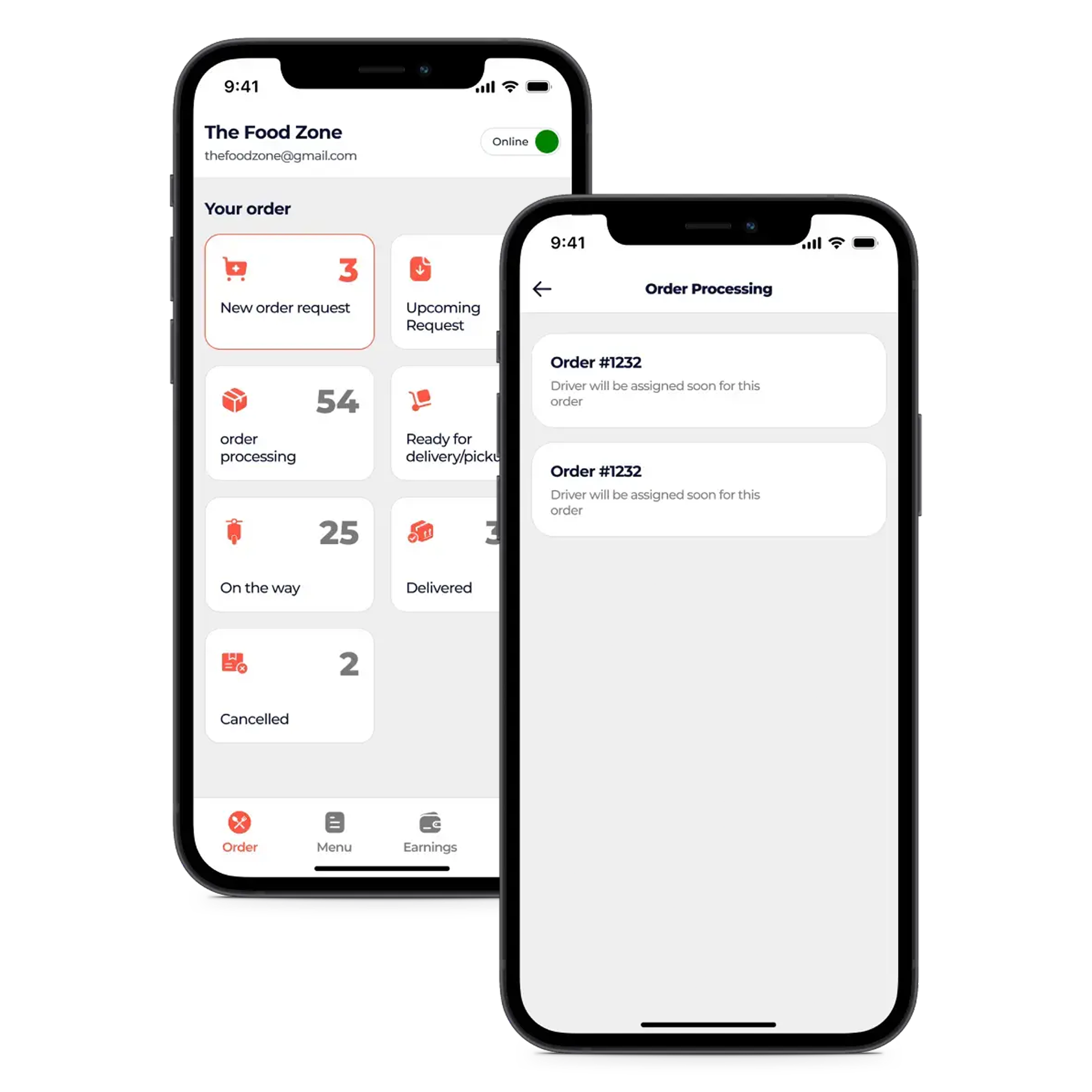
        • Live Order View to monitor incoming, in-progress, and completed orders in real time.

        • Menu & Price Editor for quickly updating dishes, descriptions, and pricing.

        • Discount Engine to create, schedule, and manage promotional offers.

        • Delivery Settings to control service areas, timings, and delivery charges.

        • Revenue Dashboard with instant sales, earnings, and performance stats.
        Restaurant Panel Feature

        Delivery Partner Feature

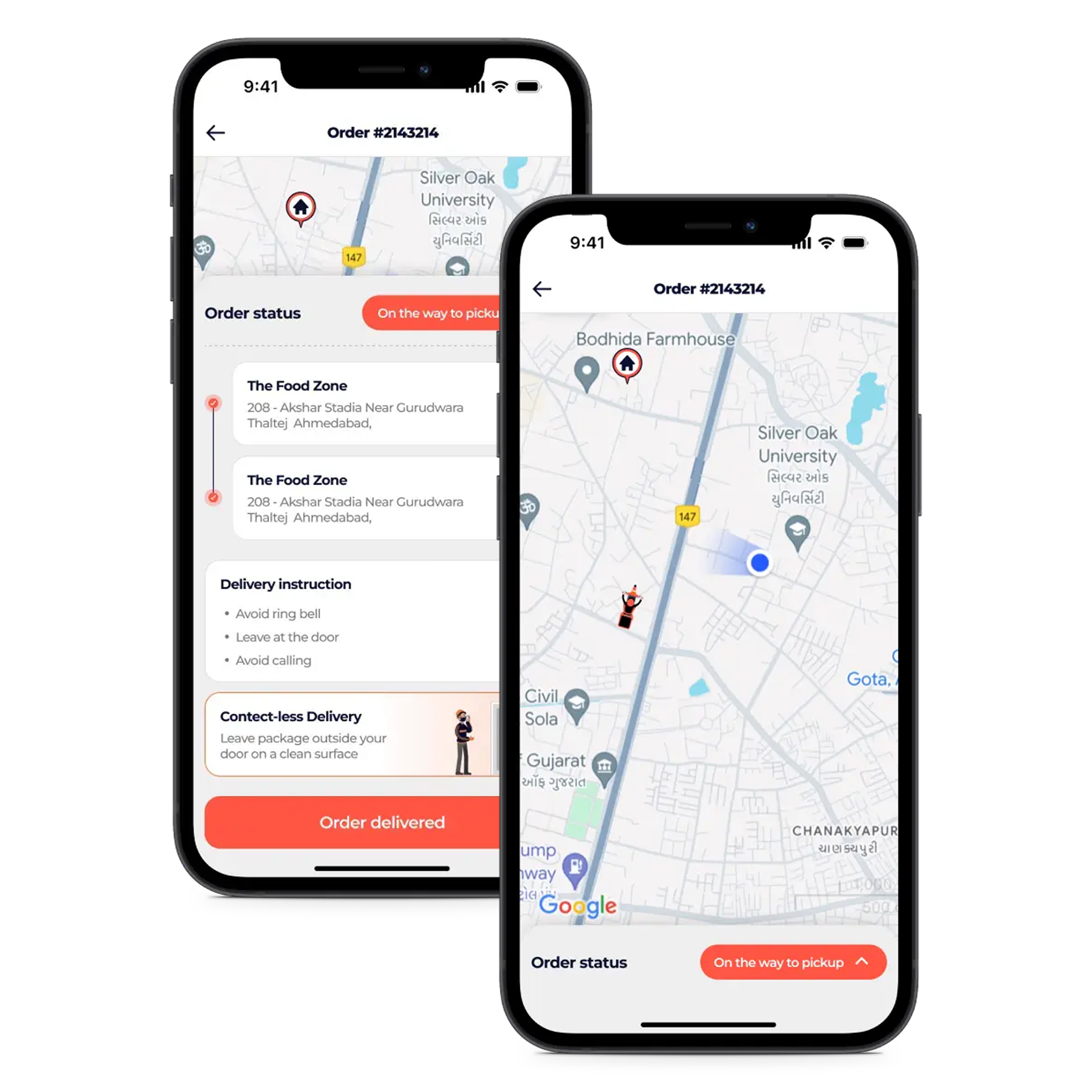
        • Instant Alerts for new orders, status updates, and important notifications.

        • Smart Navigation with integrated maps for fastest delivery routes.

        • Earnings Tracker to view daily, weekly, and monthly income.

        • Status Management to update availability and delivery progress in one tap.

        • Shift Toggle to go online or offline as per delivery schedule.
        Delivery Partner Feature

        Customer App Feature

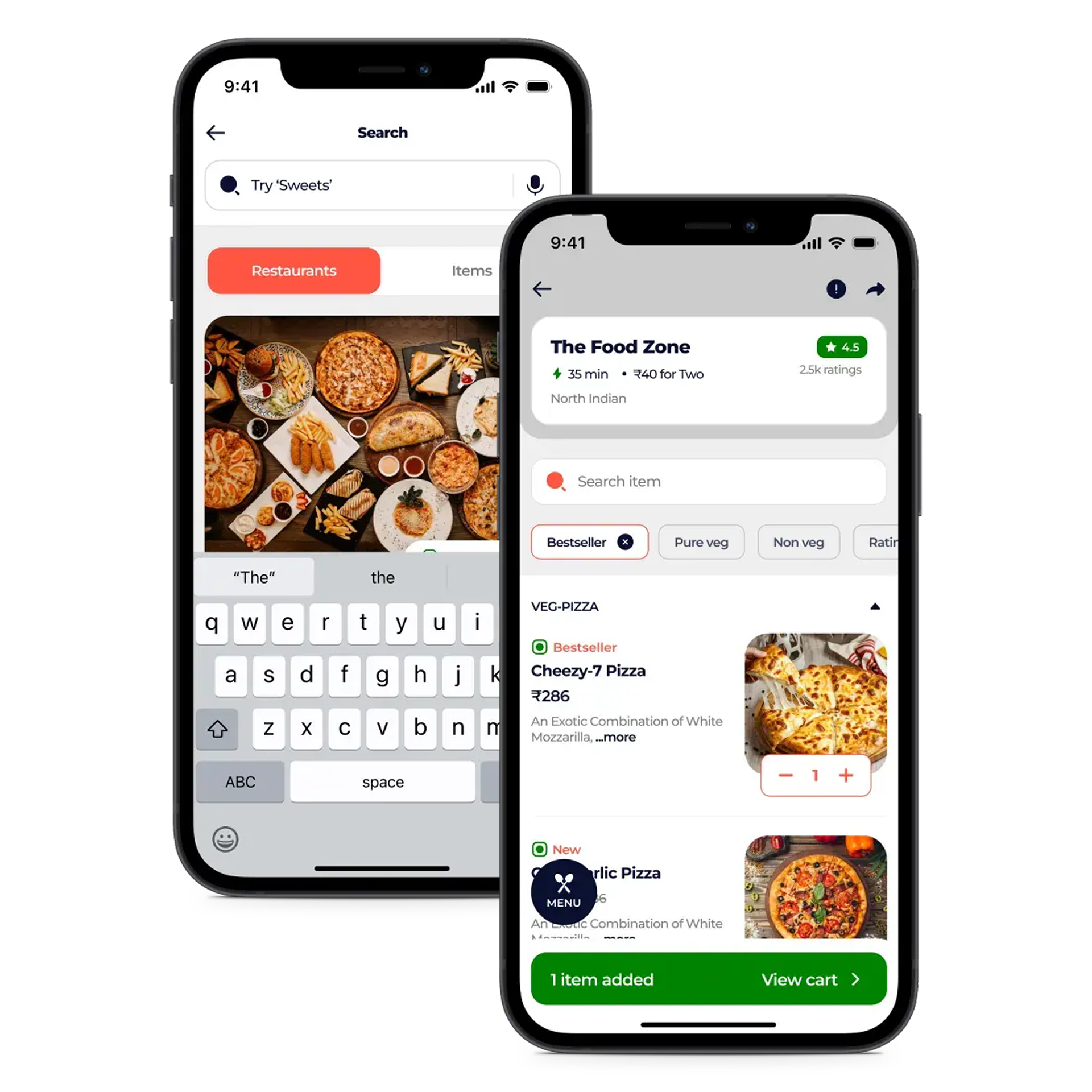
        • Smart Location Detection  Accurately match with nearby restaurants and delivery options.

        • Intuitive Search & Filters  Quickly find meals by cuisine, price, or ratings.

        • One-Click Cart & Checkout  Review orders and pay securely in seconds.

        • Detailed Restaurant Profiles  View menus, ratings, and contact information easily.

        • Easy Custom Orders  Personalize dishes before placing your order.
        Customer App Feature