BrainerHub Solutions

Data Engineers Are the Backbone of AI and Modern Applications

AI systems and modern applications rely on data to function effectively. While models and interfaces often receive the most attention, the quality, availability, and structure of data determine how well these systems perform. This is where data engineers play a critical role.

Data engineers design and maintain the systems that collect, process, and deliver data across applications. Without this foundation, even the most advanced AI models struggle to produce reliable results.

The Role of Data Engineers in Modern Systems

Data engineers are responsible for building pipelines that move data from multiple sources into usable formats. They handle data ingestion, transformation, storage, and accessibility.

Their work ensures that data is consistent, accurate, and available when needed. This includes integrating data from APIs, databases, third-party services, and internal systems. They also structure this data in a way that supports analytics, reporting, and machine learning workflows.

In modern applications, data engineering is not a support function. It is a core part of system design.

Why AI Depends on Strong Data Engineering

AI models depend on large volumes of high-quality data. Poorly structured or inconsistent data leads to unreliable outputs, even when the model itself is well designed.

Data engineers prepare datasets for training and inference by cleaning, validating, and organizing data. They also ensure that real-time data flows are stable, which is essential for applications that rely on live inputs.

In production environments, data engineers maintain the pipelines that continuously feed AI systems. Without this, models become outdated and lose accuracy over time.

Data Pipelines and Scalability

As applications grow, the amount of data increases significantly. Systems must handle higher volumes, faster processing, and more complex transformations.

Data engineers design scalable pipelines that can process large datasets without performance issues. They use distributed systems, cloud storage, and stream processing frameworks to manage this scale.

This scalability supports business growth. Applications can handle more users, more data, and more complex operations without breaking down.

Real-Time Data and Modern Applications

Many modern applications depend on real-time or near real-time data. Examples include recommendation systems, fraud detection, analytics dashboards, and AI-driven features.

Data engineers build systems that process and deliver data with minimal delay. This involves stream processing, event-driven architectures, and efficient data routing.

Timely data enables faster decisions and more responsive applications.

Data Quality and Reliability

Data quality is one of the biggest challenges in building reliable systems. Inconsistent formats, missing values, and duplicate records can affect both analytics and AI outputs.

Data engineers implement validation checks, monitoring systems, and error handling to maintain data integrity. They ensure that downstream systems receive accurate and consistent data.

Reliable data leads to reliable applications.

How BrainerHub Builds Strong Data Foundations

At BrainerHub, data engineering is treated as a fundamental part of application development. Our teams design data pipelines, storage systems, and processing frameworks that support both current needs and future growth.

We work with businesses to structure their data, integrate systems, and prepare environments for AI and analytics. The focus is on building reliable data infrastructure that supports long-term scalability and performance.

Conclusion

Data engineers play a central role in modern software and AI systems. Their work ensures that data flows efficiently, remains accurate, and supports decision making across the organization.

Without strong data engineering, AI models and applications cannot perform consistently. With the right foundation in place, businesses can build systems that scale, adapt, and deliver meaningful results.

Do you have a project in mind? Talk to the experts.

    +91


    Allow only .jpg, .png, .pdf (max 5MB)


    Get in Touch

    We’d love to resolve your queries with personalized assistance.

    Our Office

    D-101/102/501/601 Titanium Square Building, Near Thaltej Cross Road, Sarkhej - Gandhinagar Highway, Ahmedabad, Gujarat 380059

    Leave a Comment

    Your email address will not be published. Required fields are marked *

    Scroll to Top

      +91


        +91


        Project Management Software

        Admin Dashboard

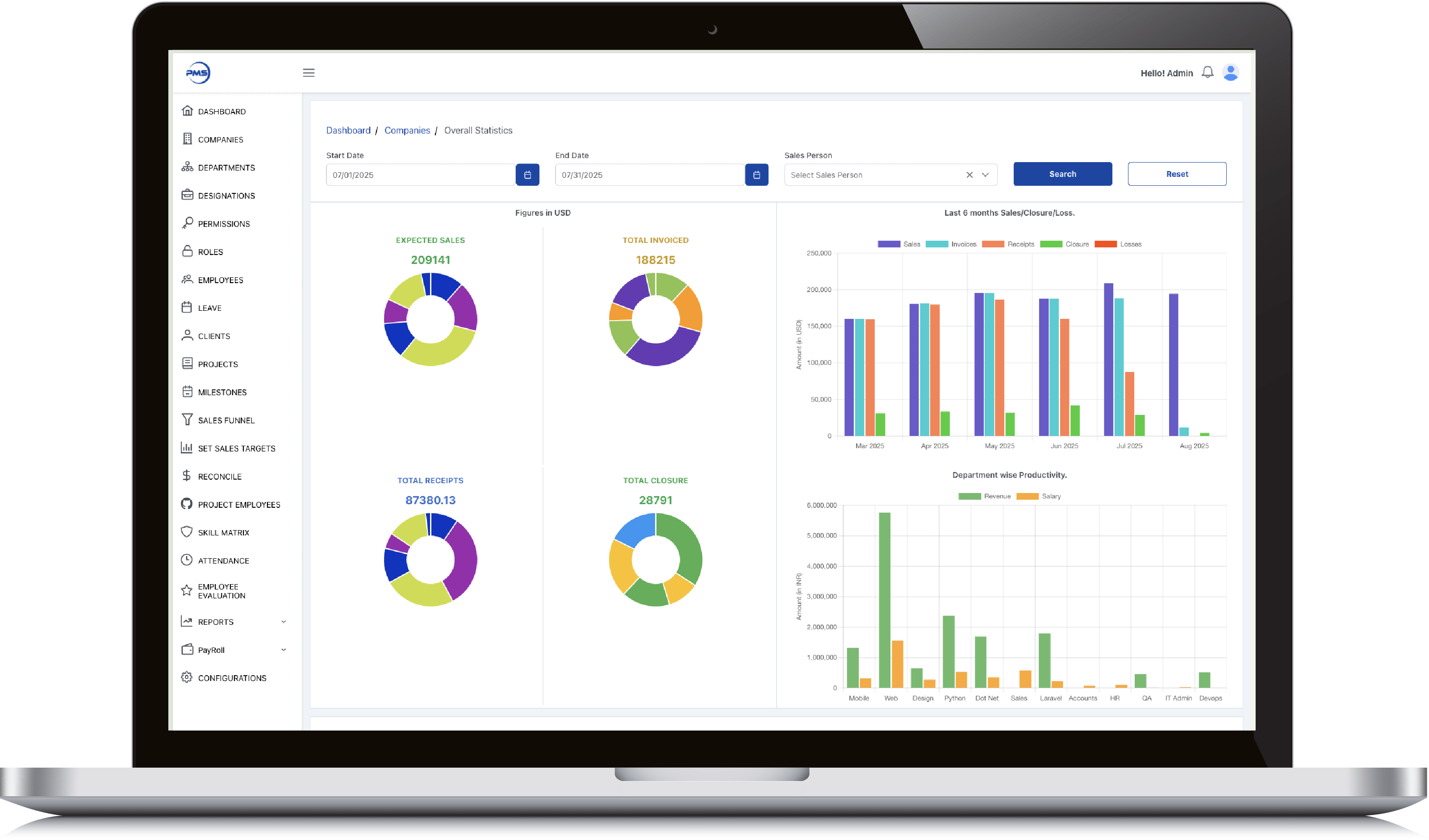
        • Smart date and salesperson filters let you slice performance data exactly how you need it.

        • Donut charts give instant clarity on expected sales, invoices, receipts, and closures.

        • 6-month comparative bar graph reveals trends across sales, receipts, and losses effortlessly.

        • Track department productivity by comparing revenue generated vs salaries paid out.

        • View 12-month earnings history in a clean graph to support long-term financial planning.
        Admin Dashboard

        Admin Dashboard

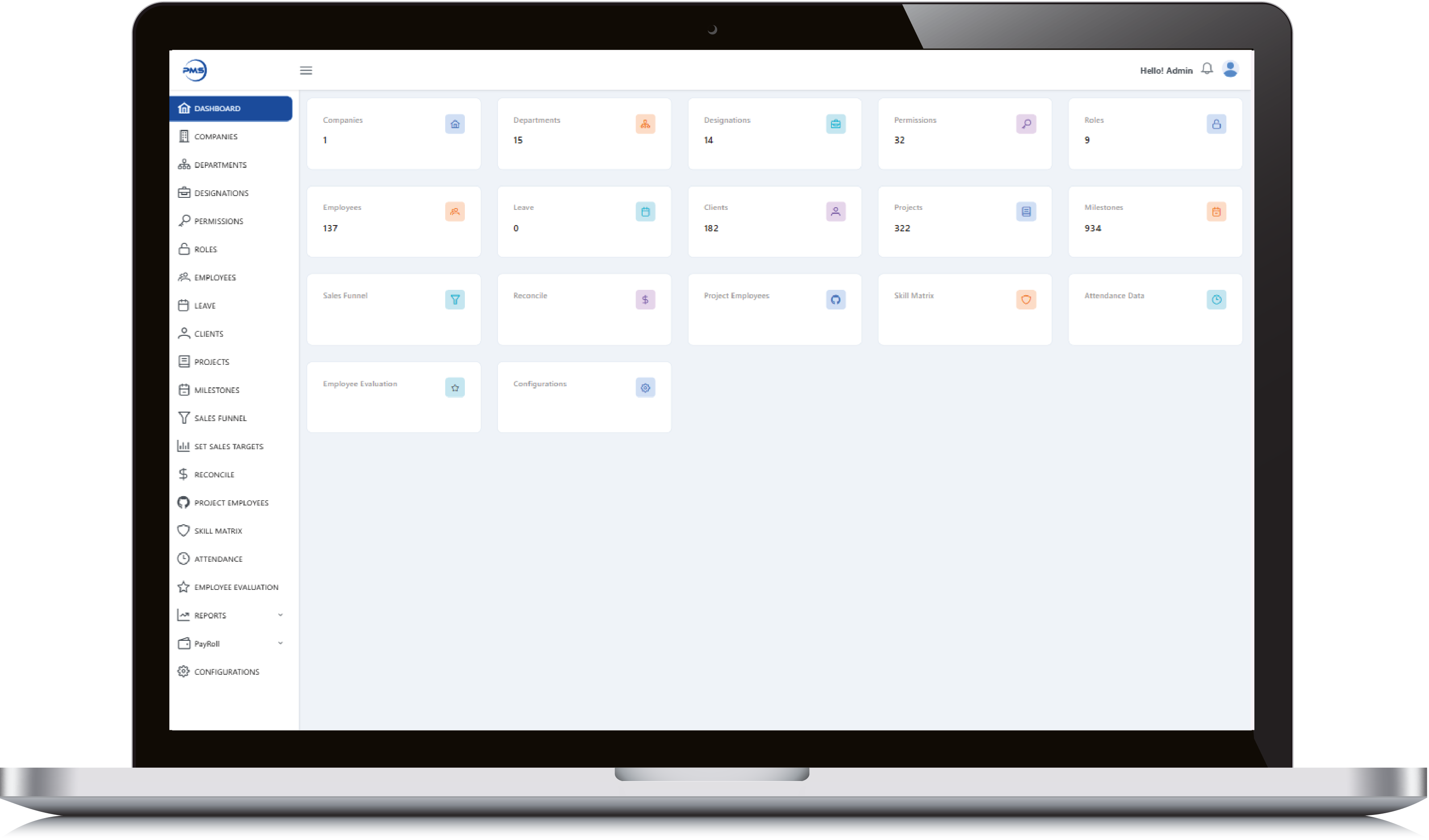
        • Get a high-level snapshot of all key modules, from employees to milestones, in one glance.

        • Quick-access tiles let you jump into clients, projects, and departments without extra clicks.

        • Live data counts keep you updated on active users, leaves, roles, and more in real time.

        • Manage critical HR, project, and evaluation tools from a single, centralized control panel.

        • Minimalist, card-based design ensures clean navigation and quick insights for admins.
        Admin Dashboard

        Employee Dashboard

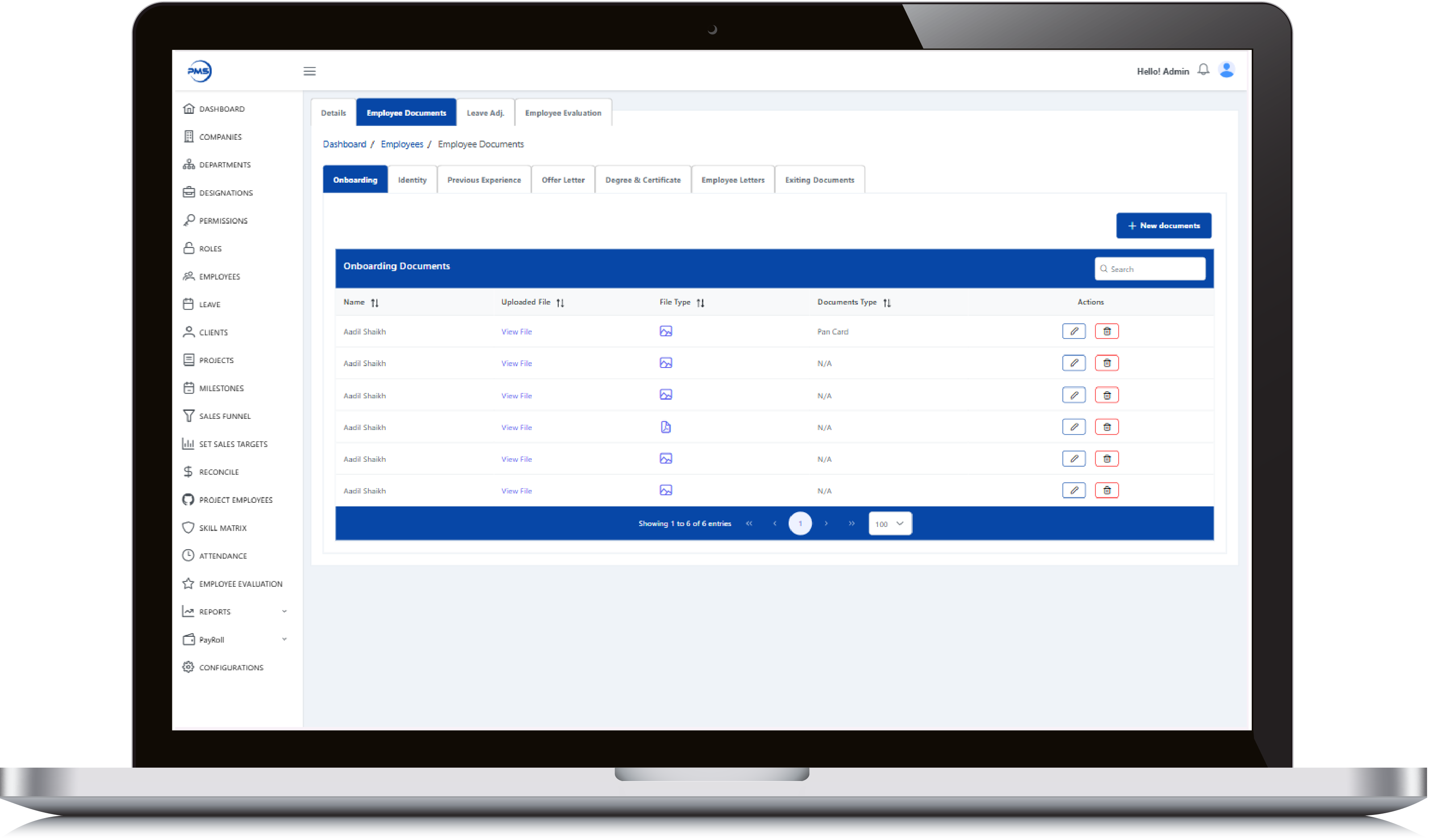
        • Evaluate employees with performance metrics across key criteria like feedback, efforts, and productivity.

        • Dynamic date and employee filters let you generate custom performance reports instantly.

        • Donut charts display category-wise and overall performance scores with clean visual clarity.

        • Track monthly performance trends through interactive, color-coded bar graphs.

        • Seamless interface ensures HR and managers can assess and compare evaluations effortlessly.
        Employee Dashboard

        Employee Dashboard

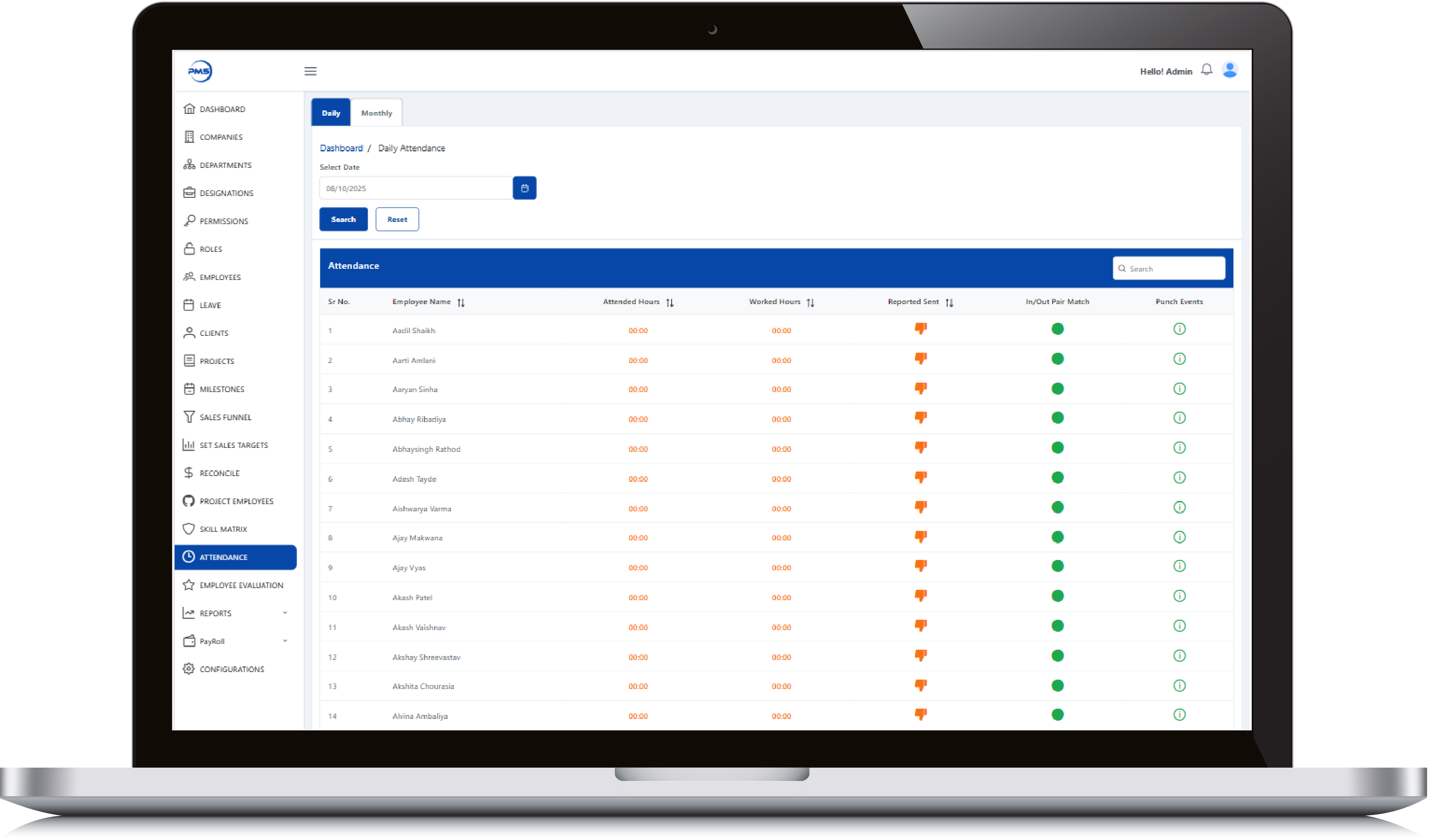
        • Track individual sales goals with a detailed breakdown of employee-wise yearly targets.

        • Quickly add, edit, or delete target entries using intuitive action icons.

        • Sort and search functionality enables fast access to specific target data.

        • Dual-tab view for switching between Yearly and Monthly targets effortlessly.

        • Clear date ranges and value indicators help monitor performance alignment throughout the year.
        Employee Dashboard

        Realinvestoo

        Admin Panel Feature

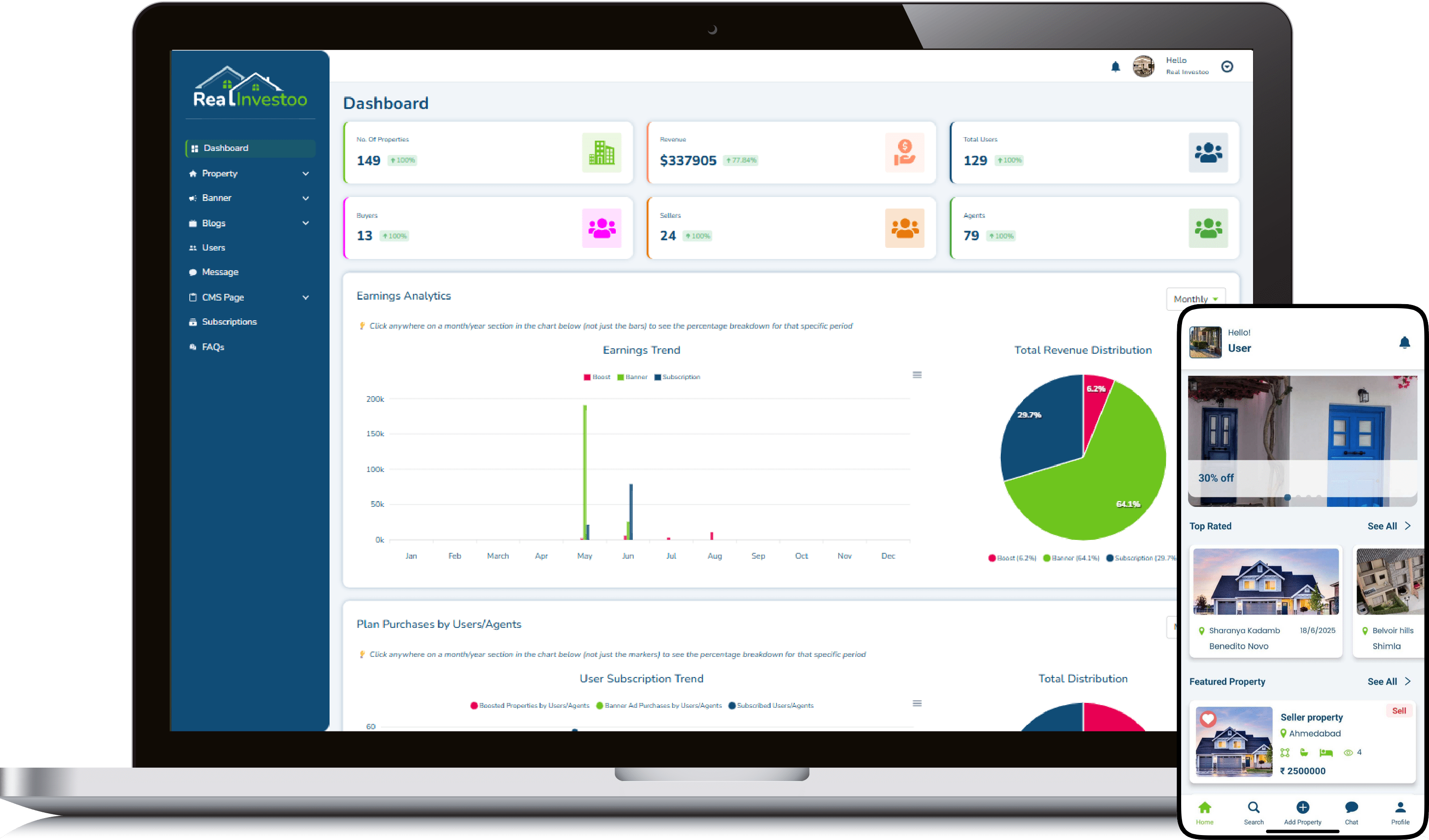
        • Intuitive dashboard gives instant insights into users, properties, revenue, and agents.

        • Real-time earnings analytics with monthly trend and pie chart breakdown.

        • Smart revenue categorization by Boost, Banner Ads, and Subscriptions.

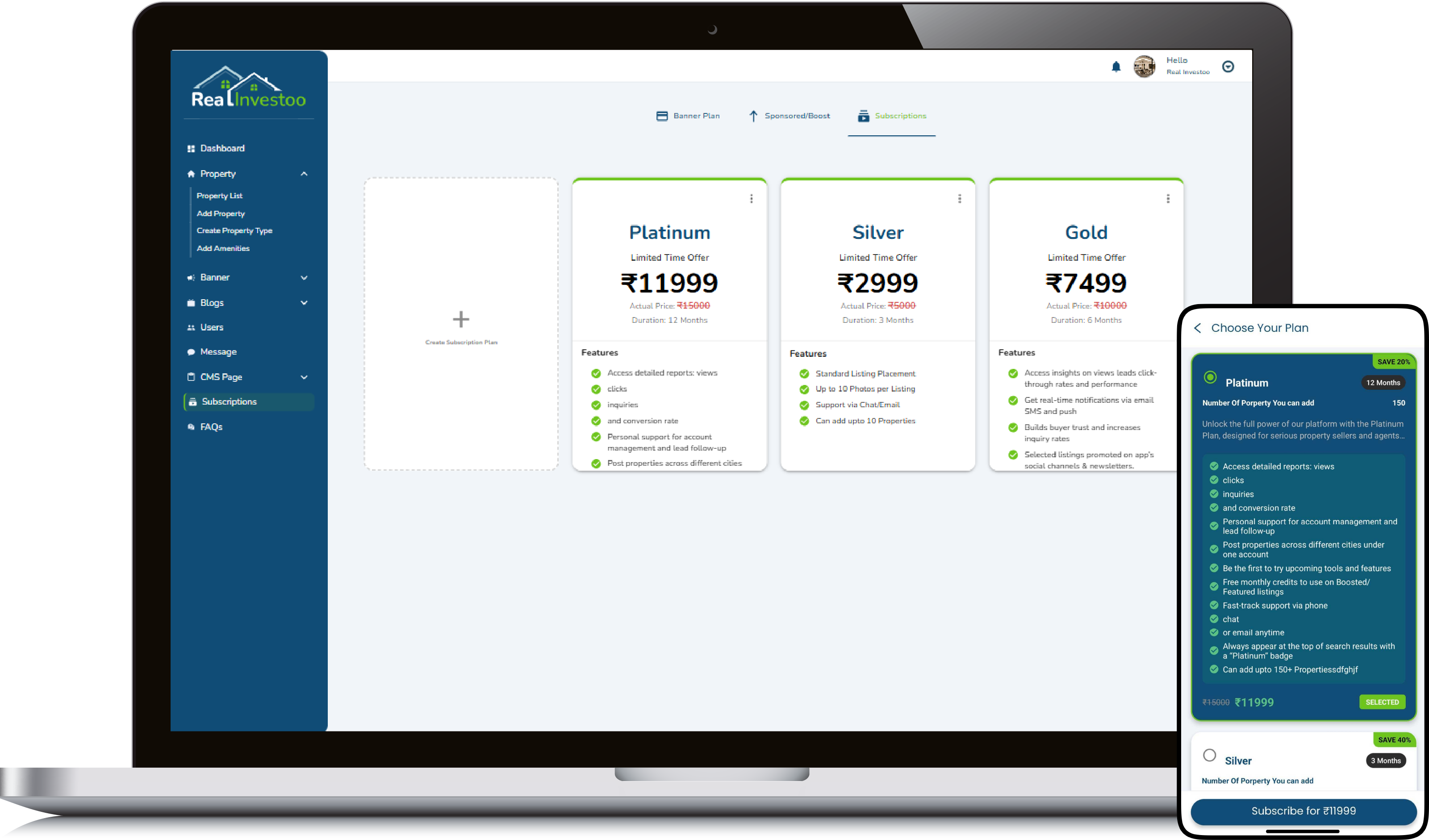
        • Fully manageable CMS, banners, blogs, messages, and subscriptions from one panel.

        • Role-based user tracking: buyers, sellers, and agents with total user count.
        Admin Panel Feature

        Admin Panel Feature

        • Seamlessly manage every listed property with edit, view, and delete at your fingertips.

        • Smart filters, real-time search, and draft visibility make property management effortless.

        • Instantly track property type, status (Sell/Rent/Lease), location, and views in one clean table.

        • Admin-level control with instant updates across 69+ properties, scale made simple.

        • Visual status tags (Sell, Lease, Rent) make portfolio oversight intuitive and quick.
        Admin Panel Feature

        User Feature

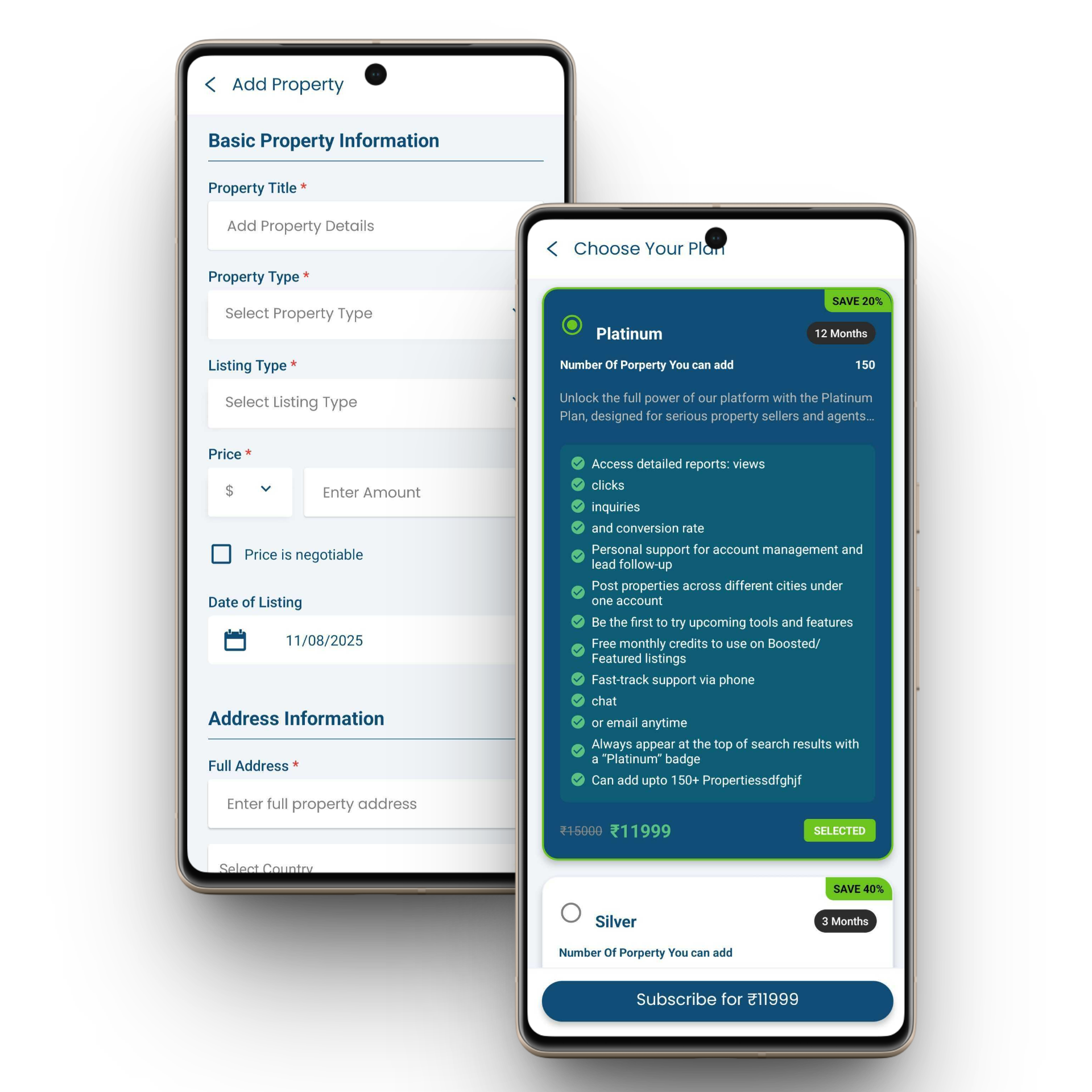
        • Personalized dashboard with user greeting and clean UI.

        • Discover top-rated properties with location and availability.

        • Highlighted featured listings with price, stats, and lease tag.

        • Easy bottom navigation for home, search, add, chat, and profile.

        • Detailed property cards with date, location, and images.
        User Feature

        User Feature

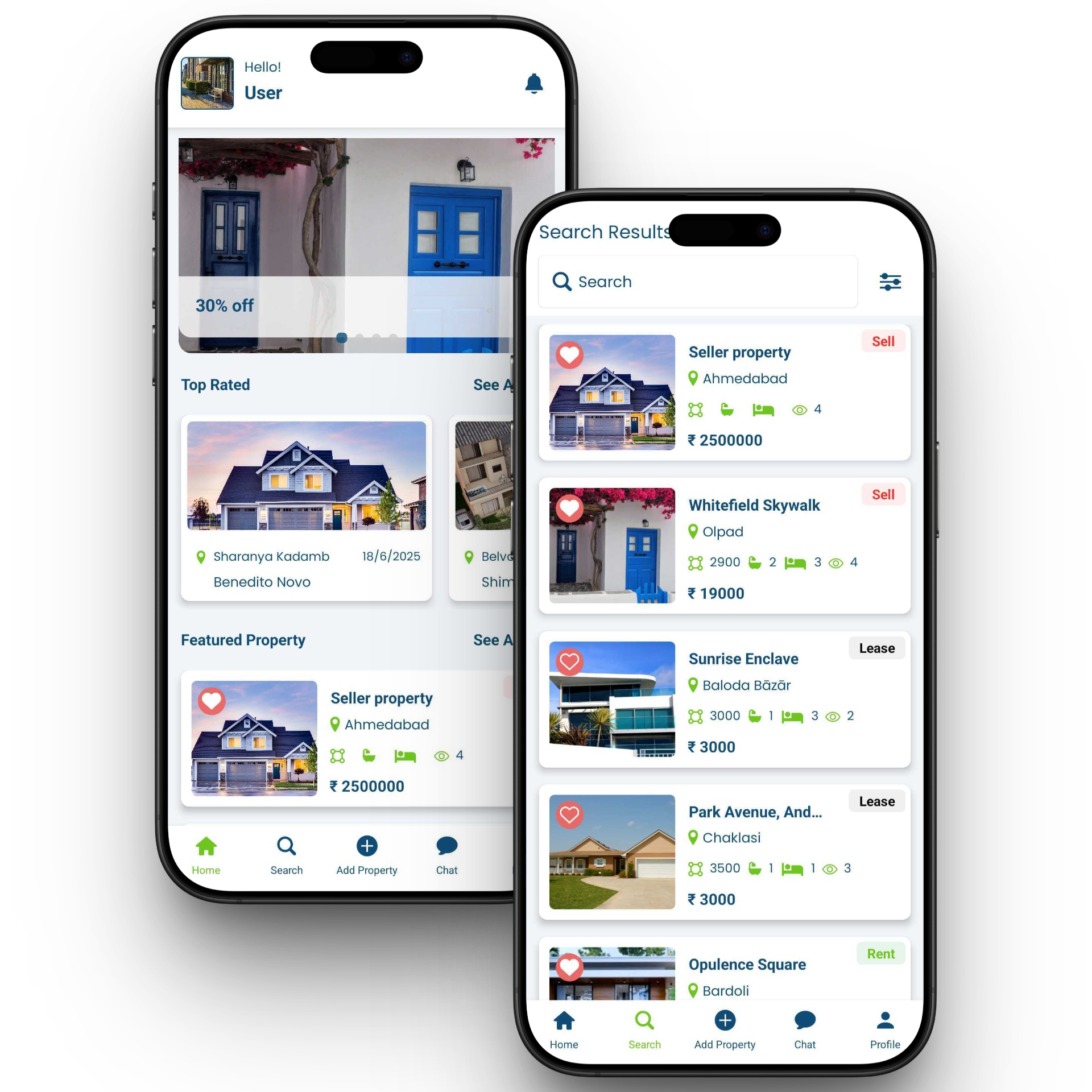
        • Powerful property search with location-based results.

        • Clear Sell, Lease, and Rent status tags on listings.

        • Favorite/heart feature for saving preferred properties.

        • Compact listing cards with area, beds, baths, and view count.

        • Integrated price display for instant decision-making.
        User Feature

        Food Delivery App

        Admin Panel Feature

        • Live Order Tracking get real-time updates from order placement to delivery.

        • Vendor & Menu Management  add, edit, and organize menu items with ease.

        • Flexible Commissions & Analytics set vendor rates and monitor sales performance.

        • Review & Feedback Control approve, reject, or reply to customer reviews.

        • Promotions & Campaigns create and schedule discounts, coupons, and offers.
        Admin Panel Feature

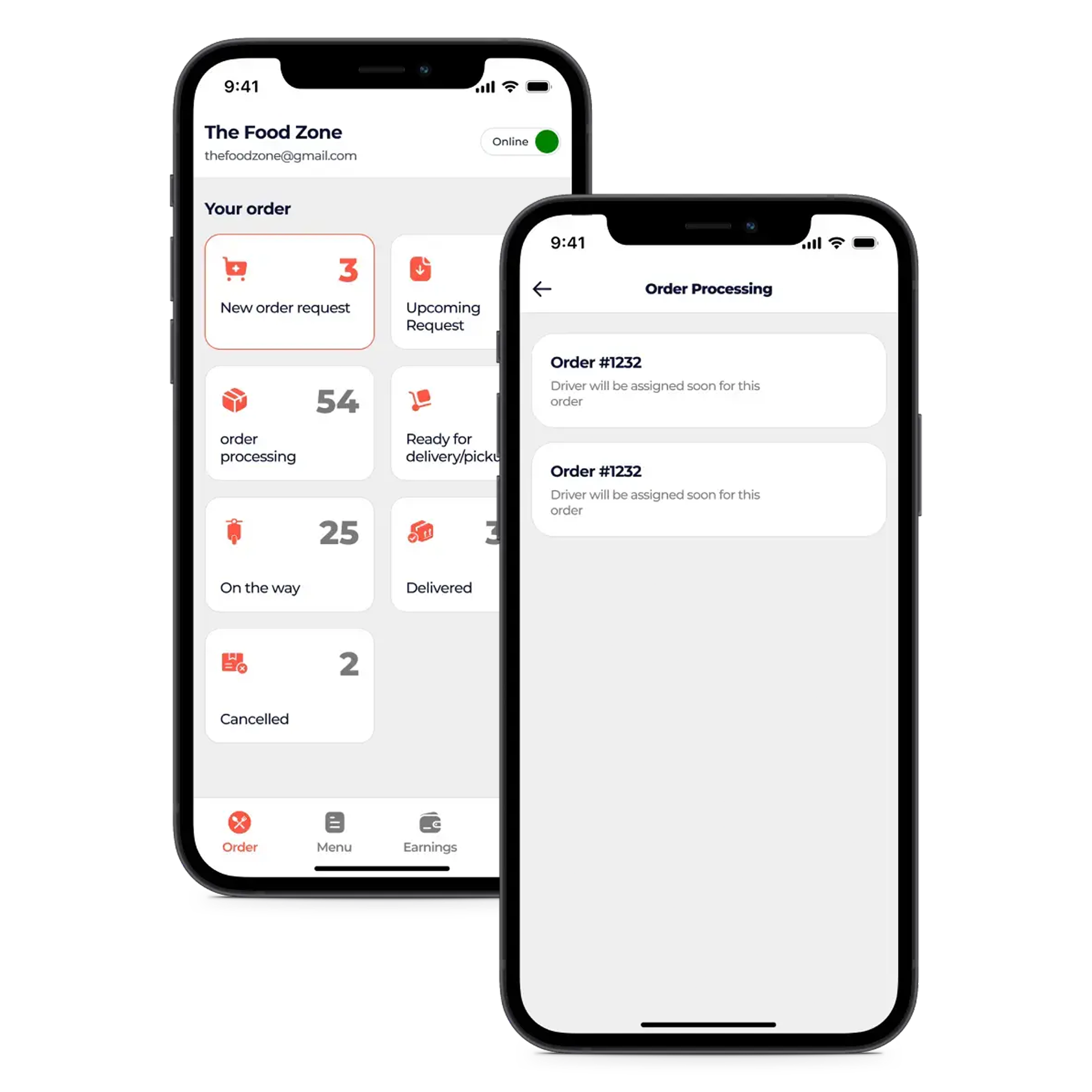
        Restaurant Panel Feature

        • Live Order View to monitor incoming, in-progress, and completed orders in real time.

        • Menu & Price Editor for quickly updating dishes, descriptions, and pricing.

        • Discount Engine to create, schedule, and manage promotional offers.

        • Delivery Settings to control service areas, timings, and delivery charges.

        • Revenue Dashboard with instant sales, earnings, and performance stats.
        Restaurant Panel Feature

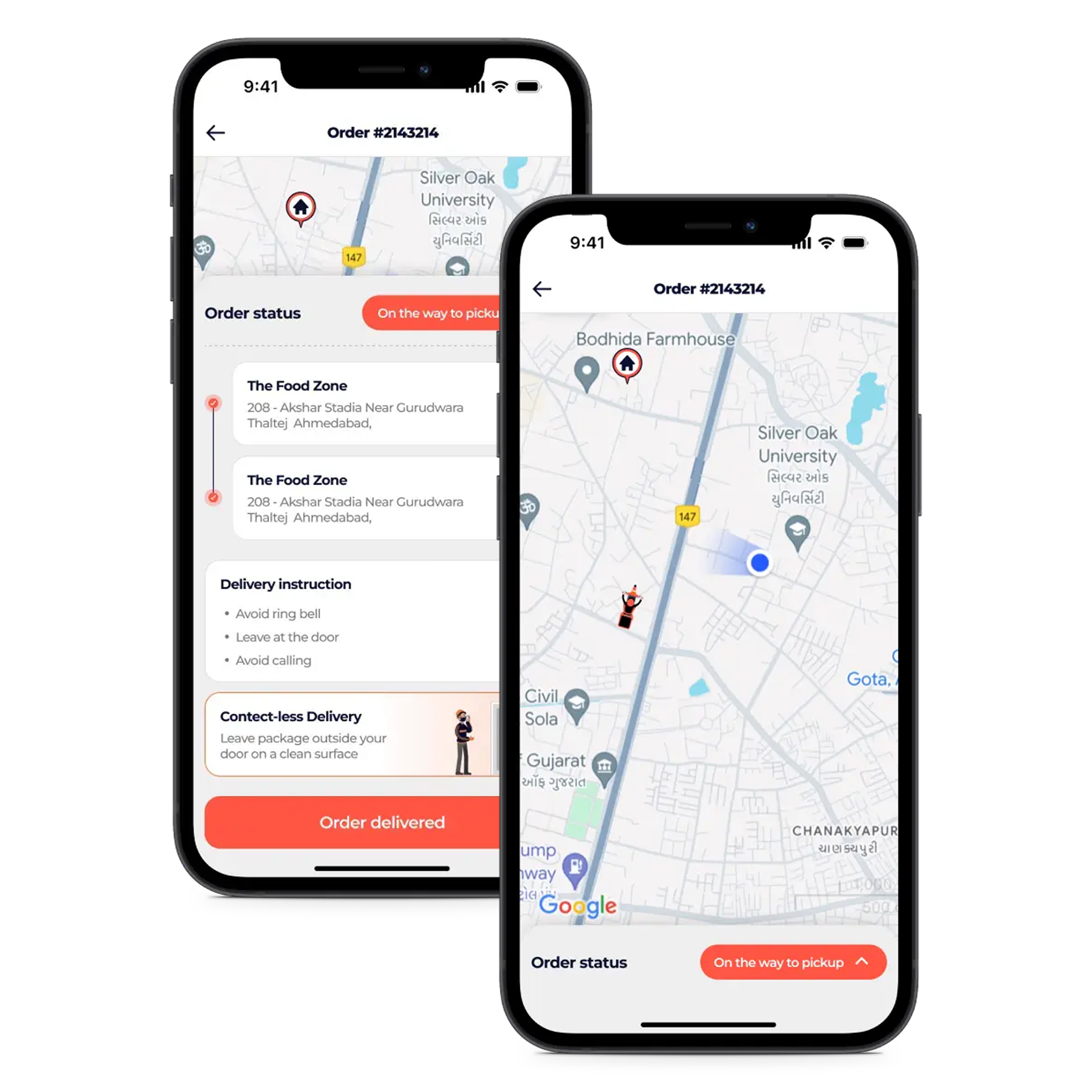
        Delivery Partner Feature

        • Instant Alerts for new orders, status updates, and important notifications.

        • Smart Navigation with integrated maps for fastest delivery routes.

        • Earnings Tracker to view daily, weekly, and monthly income.

        • Status Management to update availability and delivery progress in one tap.

        • Shift Toggle to go online or offline as per delivery schedule.
        Delivery Partner Feature

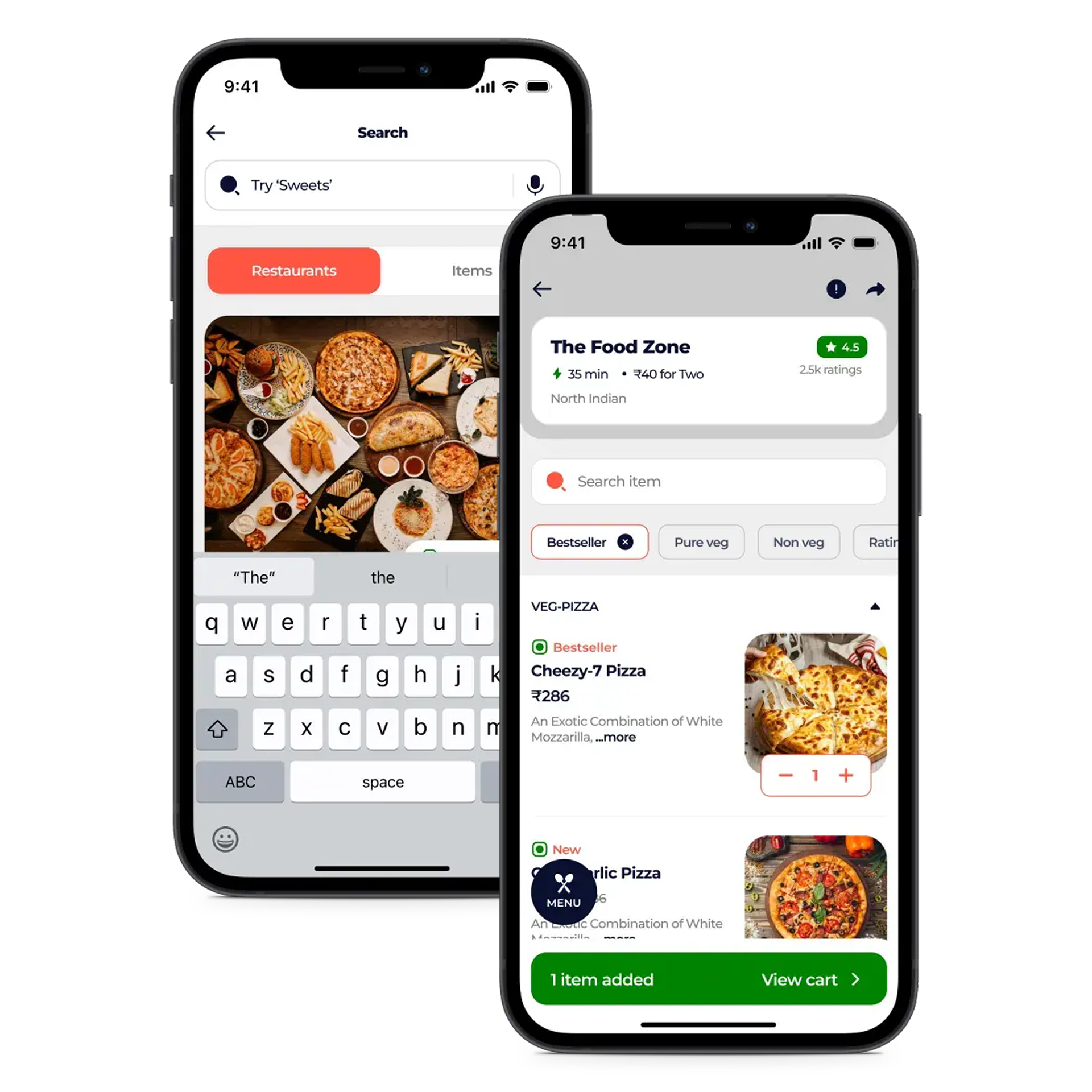
        Customer App Feature

        • Smart Location Detection  Accurately match with nearby restaurants and delivery options.

        • Intuitive Search & Filters  Quickly find meals by cuisine, price, or ratings.

        • One-Click Cart & Checkout  Review orders and pay securely in seconds.

        • Detailed Restaurant Profiles  View menus, ratings, and contact information easily.

        • Easy Custom Orders  Personalize dishes before placing your order.
        Customer App Feature