Passkeys at a Glance
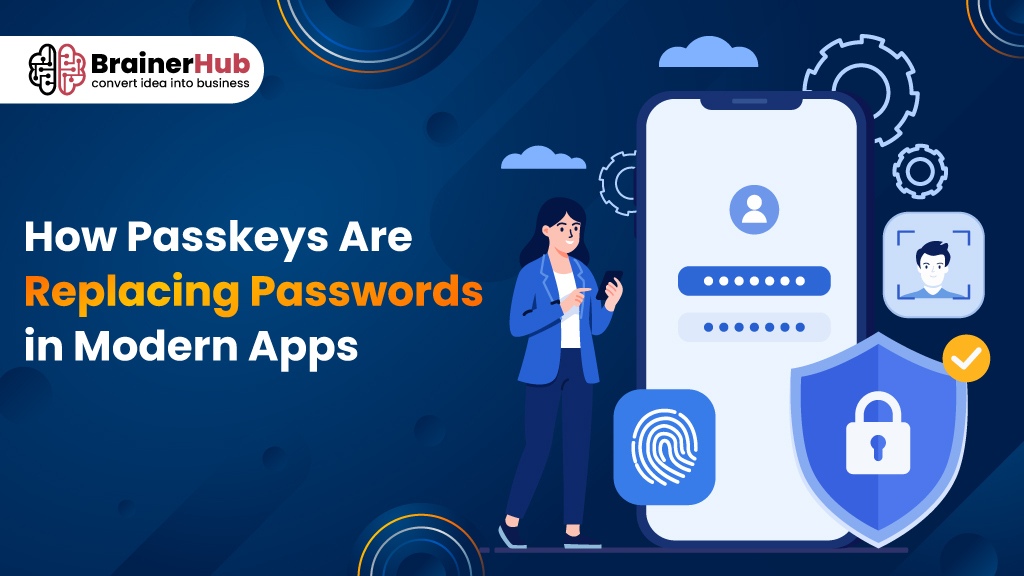
Passkeys are passwordless authentication credentials based on public-key cryptography. Instead of remembering a password, users can authenticate using a fingerprint, Face ID, PIN, or device unlock. The application’s server stores a public key, while the corresponding private key remains protected by the user’s device or compatible password manager.
Passkeys are designed to make authentication more convenient and resistant to phishing and credential theft. For modern applications, they can reduce password-related friction while providing a different approach to account security.
Key Takeaways
- Passkeys provide a passwordless way to authenticate users.
- They use public-key cryptography instead of traditional reusable passwords.
- The private key remains protected on the user’s device or compatible password manager.
- Passkeys are designed to resist common phishing-based credential theft.
- Fingerprints and Face ID can be used to authorize passkey authentication, but the biometric itself is not the passkey.
- Passkeys can work across compatible devices and password managers.
- Developers need to consider account recovery, compatibility, existing users, and authentication architecture.
- Applications don’t necessarily need to eliminate passwords immediately, passkeys can be introduced alongside existing login methods.
- WebAuthn and FIDO2 are important technologies and standards behind modern passkey implementations.
Introduction
Passwords have been protecting online accounts for decades, but they have also created a long list of problems. Users forget them, reuse them across websites, choose weak combinations, and sometimes enter them into phishing pages. For businesses, passwords also mean password resets, account recovery workflows, and additional security measures.
A different approach is now becoming part of modern application authentication: passkeys.
Passkeys allow users to sign in without manually entering a traditional password. Instead, authentication can be completed using a fingerprint, Face ID, device PIN, or another supported device-unlock method. Behind this simple experience is a cryptographic system designed to reduce the risks associated with traditional passwords.
As more web and mobile applications adopt passwordless authentication, passkeys are becoming an increasingly important consideration for product teams and developers. For businesses building new mobile applications, choosing the right authentication approach can also play an important role in creating a secure and seamless user experience.
What Are Passkeys?
Passkeys are passwordless authentication credentials that use public-key cryptography to verify a user’s identity.
Unlike a traditional password, a passkey isn’t something the user needs to remember or type into a login form.
When a user creates a passkey, a unique cryptographic key pair is generated. The application receives and stores the public key, while the private key remains protected on the user’s device or within a compatible password manager.
The private key isn’t simply sent to the application during login.
Instead, the application creates an authentication challenge. The user’s device verifies the person through a supported method such as a fingerprint, Face ID, PIN, or device unlock. The device then uses the private key to respond to the challenge.
The application can verify that response using the public key stored with the account.
From the user’s perspective, the process can be as simple as approving a biometric prompt. From a technical perspective, it replaces a reusable password with a cryptographic authentication mechanism.
How Do Passkeys Work?
The passkey authentication process can be broken down into a few basic steps.
1. A User Creates a Passkey
During registration or account setup, the application can offer the user an option to create a passkey.
The device generates a public and private key pair.
The private key is protected by the device or supported password manager, while the public key is associated with the user’s account.
2. The Application Stores the Public Key
The application’s authentication system stores the public key.
The private key doesn’t need to be stored on the application’s server.
This is an important difference from traditional password authentication, where the server needs to maintain password-related authentication data.
3. The User Attempts to Sign In
When the user returns to the application, the server generates a unique challenge.
The device identifies the appropriate passkey and asks the user to authorize its use.
This might involve Face ID, a fingerprint, a device PIN, or another supported authentication method.
4. The Device Responds to the Challenge
After the user is successfully authenticated locally, the device uses the private key to generate the required cryptographic response.
The private key itself isn’t revealed to the application.
5. The Server Verifies the Response
The server uses the stored public key to verify the response.
If the verification succeeds, the user is authenticated.
This process allows the application to confirm possession of the correct credential without asking the user to provide a reusable password.
Passkeys vs. Passwords: What’s the Difference?
The biggest difference between passkeys and passwords is how the user’s identity is verified.
A password is a secret that the user knows and provides to an application. A passkey uses cryptographic credentials that allow the device to prove that it has access to the correct private key.
| Passwords | Passkeys |
| Users create and remember a secret | Users authenticate through a supported device method |
| Can be reused across different services | Credentials are associated with the intended service |
| Can be entered into phishing websites | Designed to provide phishing-resistant authentication |
| Password-related authentication data is maintained by the service | Service stores the public key |
| Users may forget or reset passwords | No traditional password needs to be remembered |
| Usually requires typing | Can use biometric or device authentication |
Passwords aren’t disappearing from every application immediately. However, passkeys provide developers with another authentication model that can reduce some of the weaknesses associated with passwords.
The numbers tell the story
Based on research spanning 11,000 consumers and 1,400 enterprise decision-makers across ten countries, the data shows this isn’t a niche security trend anymore:
- 90% of people are now aware of passkeys, up significantly year-over-year
- 75% of people have enabled a passkey on at least one account
- 49% of people use passkeys regularly when available
- On the enterprise side, 68% of organizations have deployed or are actively deploying passkeys for employee sign-ins, and 82% say fully passwordless authentication is an ultimate goal within the workforce, with 28% having achieved this goal
And passkeys don’t just win on adoption, they win on the metrics that actually matter to a business. Passkeys outperform passwords on login success rate, at roughly 93% compared to 63% for traditional methods.
Why Are Modern Apps Adopting Passkeys?
The shift toward passkeys is being driven by both security requirements and user experience.
Reduced Login Friction
Users don’t need to remember another complex password. If a passkey is already available on their device, signing in can involve a simple biometric or device-authentication prompt.
Better Protection Against Phishing
Passwords can be entered into fake websites. Passkeys are designed to be associated with the legitimate service, making them much harder to use on a phishing site.
Fewer Password-Related Problems
Forgotten passwords, password resets, and repeated login failures create friction for users and additional work for support teams. Passkeys can reduce reliance on traditional password recovery workflows.
More Convenient Authentication
Users are already familiar with unlocking their phones and computers using biometrics or a PIN. Passkeys can use these existing device authentication methods to make application login feel more natural.
Modern Authentication Architecture
For businesses developing new web or mobile applications, passkeys can be considered alongside other authentication methods when designing the application’s identity and security architecture. Businesses exploring their options can also review mobile app development companies to understand the expertise and capabilities available for building modern applications.
Are Passkeys More Secure Than Passwords?
Passkeys are designed to address several security weaknesses associated with passwords, particularly phishing and credential reuse.
With a password, an attacker who obtains the credential may potentially use it to access the account. The problem becomes even more serious when users reuse the same password across multiple services.
Passkeys work differently because the private key isn’t provided to the website as a reusable secret.
The authentication process instead relies on cryptographic proof.
However, it would be inaccurate to describe passkeys as completely risk-free. Overall application security still depends on factors such as device security, account recovery, session management, implementation quality, and protection of the surrounding application infrastructure.
Passkeys should therefore be viewed as an important authentication mechanism rather than a complete replacement for broader application security practices.
Do Passkeys Use Fingerprint or Face ID?
A fingerprint or Face ID isn’t the passkey itself.
Instead, biometric authentication can be used by the device to authorize the use of a passkey.
For example, when signing into an application, a user might see:
“Use Face ID to continue.”
After the device verifies the user, it can authorize the passkey authentication process.
The biometric information isn’t simply sent to the website as the user’s password.
This distinction is important because passkeys combine cryptographic credentials with the device’s existing authentication capabilities.
Depending on the platform, users may also authenticate with a device PIN or another supported method.
What Happens If You Lose a Device With a Passkey?
Device loss is a common concern when considering passwordless authentication.
The answer depends on how the passkey is stored and synchronized.
Supported platforms and password managers can allow passkeys to be synchronized across compatible devices. This can make it possible for users to access their credentials from another device rather than depending on one physical device.
However, businesses still need to design secure account recovery processes.
For example, an application may need to support users who:
- Lose their phone
- Replace an old device
- Purchase a new computer
- Lose access to a password manager
- Need to add another authentication device
Developers should therefore treat account recovery as part of the authentication design, rather than adding it after passkey implementation is complete.
How Passkeys Affect Modern App Development
Passkeys introduce a different approach to authentication, which means developers need to consider more than simply removing a password field.
For web applications, technologies such as WebAuthn provide APIs for implementing public-key-based authentication. Passkeys are also closely associated with the broader FIDO2 authentication ecosystem.
Mobile applications can integrate passkeys through the authentication capabilities provided by their respective platforms.
When implementing passkeys, development teams may need to plan for:
- User registration
- Passkey creation
- Authentication
- Multiple passkeys per account
- Device changes
- Account recovery
- Existing password-based accounts
- Cross-platform compatibility
- Session management
- Security monitoring
- User onboarding
For an existing application, a gradual migration can often make more sense than forcing every user to switch immediately.
For example, an application could allow existing users to continue using passwords while offering them the option to create a passkey after signing in.
This gives businesses a way to introduce passwordless authentication without creating unnecessary disruption.
What Are the Challenges of Implementing Passkeys?
Although passkeys can simplify the user experience, implementing them requires careful planning.
Cross-Platform Compatibility
Applications may need to support different operating systems, browsers, devices, and authentication environments.
The experience should remain understandable whether a user accesses the application from a smartphone, desktop, or another supported device.
Account Recovery
A reliable recovery mechanism is essential.
Users can lose devices, change platforms, or lose access to authentication credentials. Recovery workflows must be designed without creating an easy alternative route for attackers.
Existing Password Users
Most established applications already have users with passwords.
Moving everyone to passkeys immediately may not be practical. Developers may need to support both authentication methods during a transition period.
User Education
Some users may not understand what a passkey is when they first encounter the term.
Simple messaging such as “Sign in with your fingerprint or device PIN” can make the experience easier to understand.
Application Architecture
Passkeys need to be integrated into the broader identity and authentication architecture.
Registration, login, session management, recovery, device management, and security monitoring all need to work together.
Can Passkeys Completely Replace Passwords?
Passkeys can replace passwords as the primary authentication method in many applications, but the transition is unlikely to happen everywhere at the same time.
Many applications will continue supporting passwords alongside passkeys for compatibility, account recovery, and users who haven’t yet adopted passwordless authentication.
A gradual approach can allow businesses to introduce passkeys without forcing an immediate change on every customer.
Over time, applications may increasingly make passkeys the preferred sign-in option while retaining alternative authentication methods where appropriate.
The important shift is that passwords no longer need to be the only default method for proving a user’s identity.
What Do Passkeys Mean for the Future of App Authentication?
Passkeys represent a broader change in how applications approach authentication.
Instead of asking users to create and remember increasingly complicated passwords, applications can use cryptographic credentials protected by devices and compatible password managers.
This can make authentication:
- More convenient for users
- Less dependent on memorized secrets
- More resistant to phishing
- Better integrated with modern devices
- Easier to use across compatible platforms
For developers, the change is equally significant. Authentication is becoming less about managing passwords and more about securely connecting user identity with trusted devices, credentials, and authentication systems.
The result could be a future where users rarely think about authentication at all.
They simply unlock their device, verify their identity, and continue using the application.
Conclusion
Passwords have been the default authentication method for years, but modern applications are moving toward authentication experiences that are simpler for users and less dependent on reusable secrets.
Passkeys offer one approach to this transition.
By combining public-key cryptography with familiar device authentication methods such as biometrics and PINs, passkeys can provide a passwordless login experience while addressing several common weaknesses of traditional passwords.
For businesses building new web or mobile applications, passkeys are worth considering as part of a broader authentication and security strategy. Existing applications can also introduce them gradually while continuing to support traditional login methods where needed.
Building a Modern Web or Mobile Application?
Authentication is an important part of creating a secure and frictionless user experience. BrainerHub helps businesses design and develop modern web and mobile applications with authentication strategies aligned with their product, user experience, and security requirements. If you’re planning a new application or looking to improve your existing authentication approach, contact us to discuss your requirements.
Frequently Asked Questions About Passkeys
What is a passkey?
A passkey is a passwordless authentication credential based on public-key cryptography. It allows users to sign into compatible websites and applications using a supported device authentication method.
Are passkeys safer than passwords?
Passkeys are designed to reduce risks associated with phishing, password reuse, and credential theft. However, application security still depends on correct implementation, secure recovery processes, device security, and other security controls.
How do passkeys work?
Passkeys use a public and private key pair. The application stores the public key, while the private key remains protected on the user’s device or compatible password manager. During authentication, the device uses the private key to respond to a server challenge.
Can passkeys be hacked?
No authentication method should be considered completely immune to attacks. Passkeys are designed to reduce several common credential-based risks, particularly phishing, but the security of the overall application still depends on its implementation and surrounding security controls.
Can I use a passkey on multiple devices?
Depending on the platform and password manager, passkeys can be synchronized or made available across multiple compatible devices.
Do passkeys replace passwords completely?
Not necessarily. Applications can support passkeys alongside passwords. Many businesses may gradually introduce passkeys while continuing to support existing authentication methods.
Are passkeys useful for mobile applications?
Yes. Passkeys can provide a convenient authentication experience for mobile applications by allowing users to authenticate through supported device-level methods such as biometrics or a device PIN.
What technologies are used for passkey authentication?
Passkey implementations commonly use technologies and standards from the WebAuthn and FIDO2 ecosystem to support public-key-based authentication.