BrainerHub Solutions

Why Software Projects Fail Before Coding Begins

A staggering number of software projects are doomed before a single line of code is written. While it is easy to blame poor code or unexpected bugs for a delayed launch, the real culprits usually reside in the planning phase.

When you skip or rush the pre-development stages, you build your software on an unstable foundation. To ensure your next release achieves success, you need to understand exactly what goes wrong before development even begins.

Here are the most common reasons software projects fail early and the actionable steps you can take to prevent them.

Unclear and Shifting Requirements

Ambiguity is the enemy of successful software development. If your team does not know exactly what they are building, they will inevitably build the wrong solution. Vague feature requests such as “make it user-friendly” or “add a dashboard” leave excessive room for interpretation. When requirements shift constantly, a problem often called scope creep, developers lose focus, budgets inflate, and deadlines become unattainable.

How to fix it:
Conduct a comprehensive requirement analysis before moving into the design phase. Document exactly what the software must achieve, who will use it, and how it should function. Create detailed user stories and obtain explicit sign-off from all key decision-makers so everyone shares the same blueprint.

Lack of Stakeholder Alignment

A significant disconnect often exists between business executives and technical teams. If the marketing team expects a fully integrated CRM and the development team is building a basic contact form, the project is already failing. When key stakeholders are excluded from early discussions, critical business needs get overlooked. This leads to costly revisions later in the process.

How to fix it:
Bring all stakeholders to the table early. Include representatives from engineering, product, marketing, and customer support in your initial planning sessions. Establish a clear feedback loop so stakeholders can review wireframes and mockups before development begins.


Unrealistic Timelines and Expectations

Optimism bias is remarkably common in software planning. Teams often underestimate how long a feature will take to build while overestimating their capacity. When leadership dictates an arbitrary launch date without consulting the engineering team, developers are forced to cut corners. This results in technical debt, team burnout, and a final product with numerous errors.

How to fix it:
Base your timelines on data, not aspirations. Break the project down into smaller, manageable milestones and ask your developers to estimate the effort required for each component. Build buffer time into your schedule to handle the unexpected challenges that always arise during software development.

Inadequate Resource Planning

Even with a comprehensive plan, you cannot succeed without the right personnel and tools. Many projects stall because teams realize too late that they lack a specific skill set, such as a specialized database architect or a UI/UX designer. Other times, developers do not have access to the necessary software licenses, testing environments, or third-party APIs they need to perform their duties.

How to fix it:
Map out your exact resource requirements during the discovery phase. Identify any skill gaps in your current team and decide whether you need to hire freelancers, partner with an agency, or train internal staff. Ensure all technical infrastructure and budgets are approved and ready before the kickoff meeting..

Preparation Ensures Project Success

Successful software development is not merely about writing exceptional code. It is about detailed planning, clear communication, and setting your team up for success from day one. By establishing your requirements, aligning your stakeholders, respecting realistic timelines, and securing the appropriate resources, you protect your investment.

Take the time to plan thoroughly. A few additional weeks of strategy now will save you months of expensive rework later.

Do you have a project in mind? Talk to the experts.

    +91


    Allow only .jpg, .png, .pdf (max 5MB)


    Get in Touch

    We’d love to resolve your queries with personalized assistance.

    Our Office

    D-101/102/501/601 Titanium Square Building, Near Thaltej Cross Road, Sarkhej - Gandhinagar Highway, Ahmedabad, Gujarat 380059

    Leave a Comment

    Your email address will not be published. Required fields are marked *

    Scroll to Top

      +91


        +91


        Project Management Software

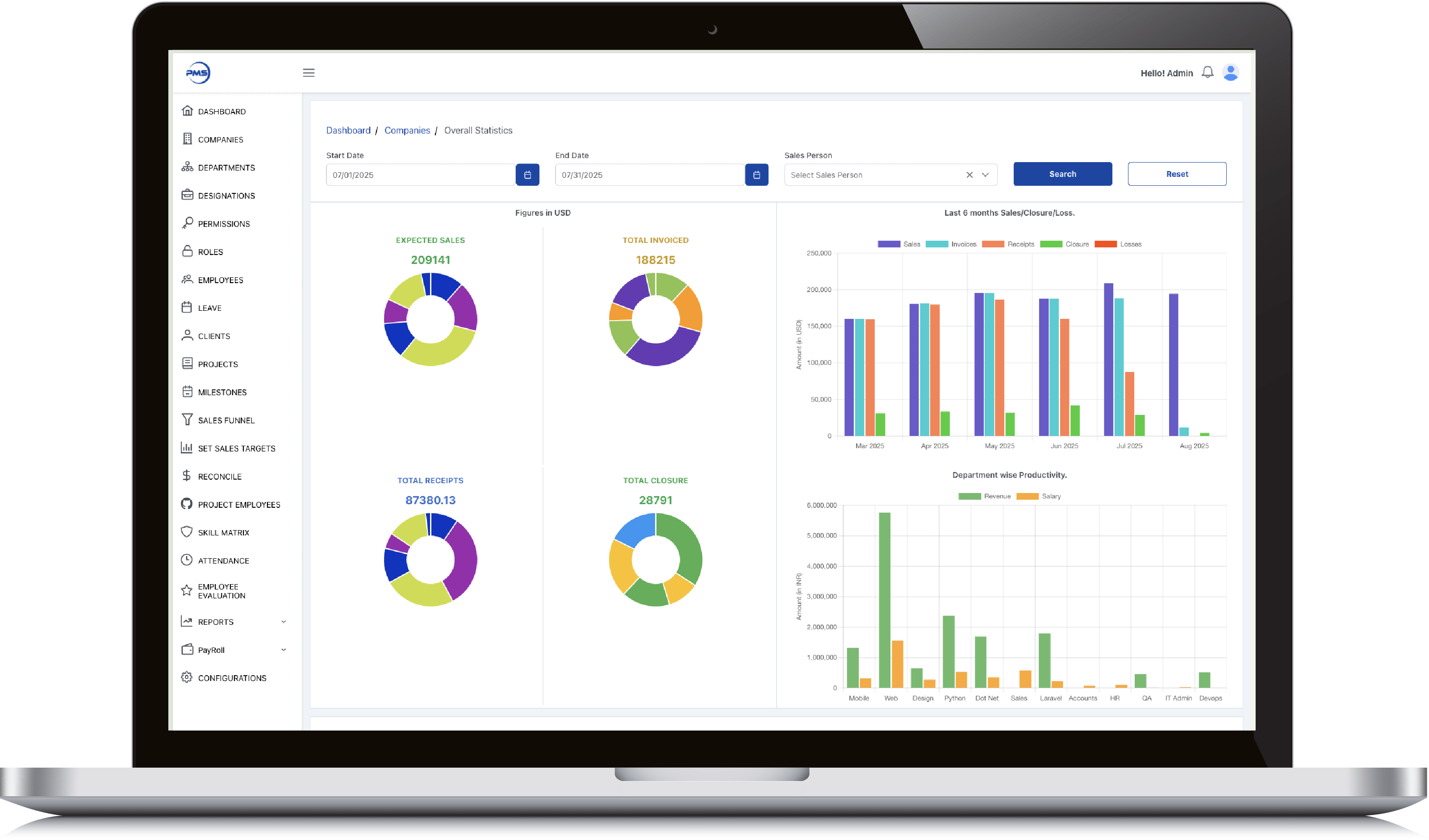
        Admin Dashboard

        • Smart date and salesperson filters let you slice performance data exactly how you need it.

        • Donut charts give instant clarity on expected sales, invoices, receipts, and closures.

        • 6-month comparative bar graph reveals trends across sales, receipts, and losses effortlessly.

        • Track department productivity by comparing revenue generated vs salaries paid out.

        • View 12-month earnings history in a clean graph to support long-term financial planning.
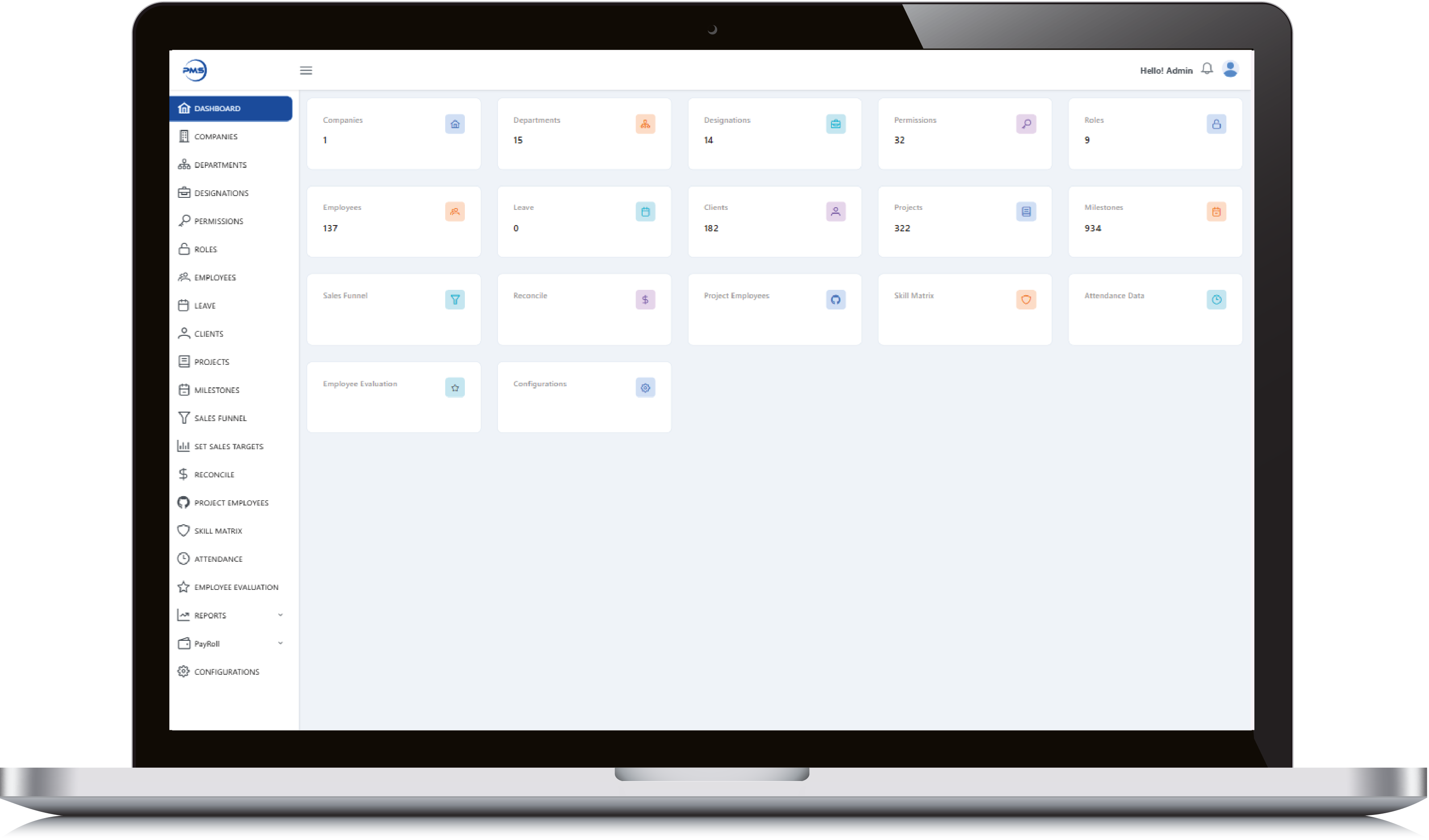
        Admin Dashboard

        Admin Dashboard

        • Get a high-level snapshot of all key modules, from employees to milestones, in one glance.

        • Quick-access tiles let you jump into clients, projects, and departments without extra clicks.

        • Live data counts keep you updated on active users, leaves, roles, and more in real time.

        • Manage critical HR, project, and evaluation tools from a single, centralized control panel.

        • Minimalist, card-based design ensures clean navigation and quick insights for admins.
        Admin Dashboard

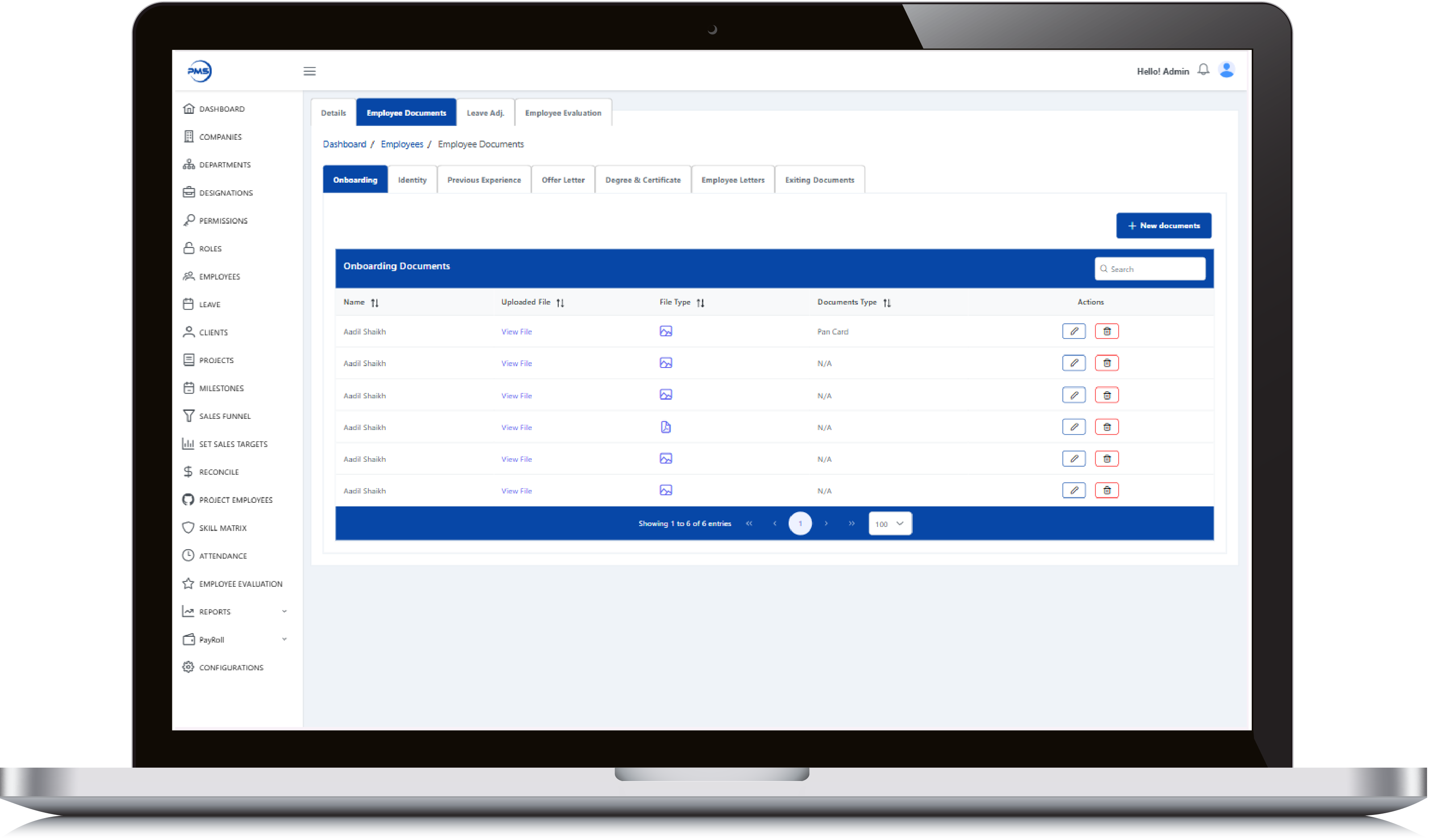
        Employee Dashboard

        • Evaluate employees with performance metrics across key criteria like feedback, efforts, and productivity.

        • Dynamic date and employee filters let you generate custom performance reports instantly.

        • Donut charts display category-wise and overall performance scores with clean visual clarity.

        • Track monthly performance trends through interactive, color-coded bar graphs.

        • Seamless interface ensures HR and managers can assess and compare evaluations effortlessly.
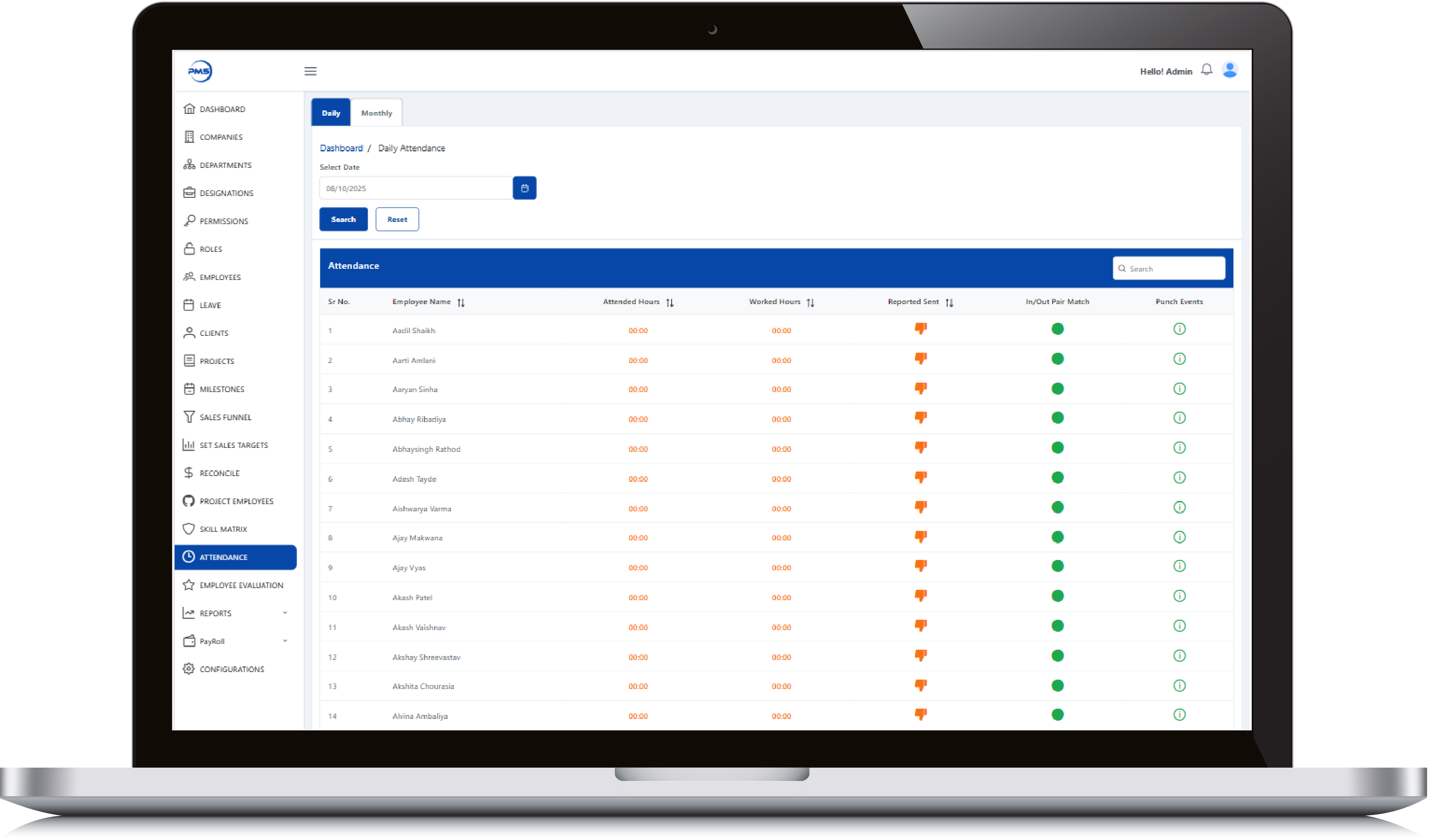
        Employee Dashboard

        Employee Dashboard

        • Track individual sales goals with a detailed breakdown of employee-wise yearly targets.

        • Quickly add, edit, or delete target entries using intuitive action icons.

        • Sort and search functionality enables fast access to specific target data.

        • Dual-tab view for switching between Yearly and Monthly targets effortlessly.

        • Clear date ranges and value indicators help monitor performance alignment throughout the year.
        Employee Dashboard

        Realinvestoo

        Admin Panel Feature

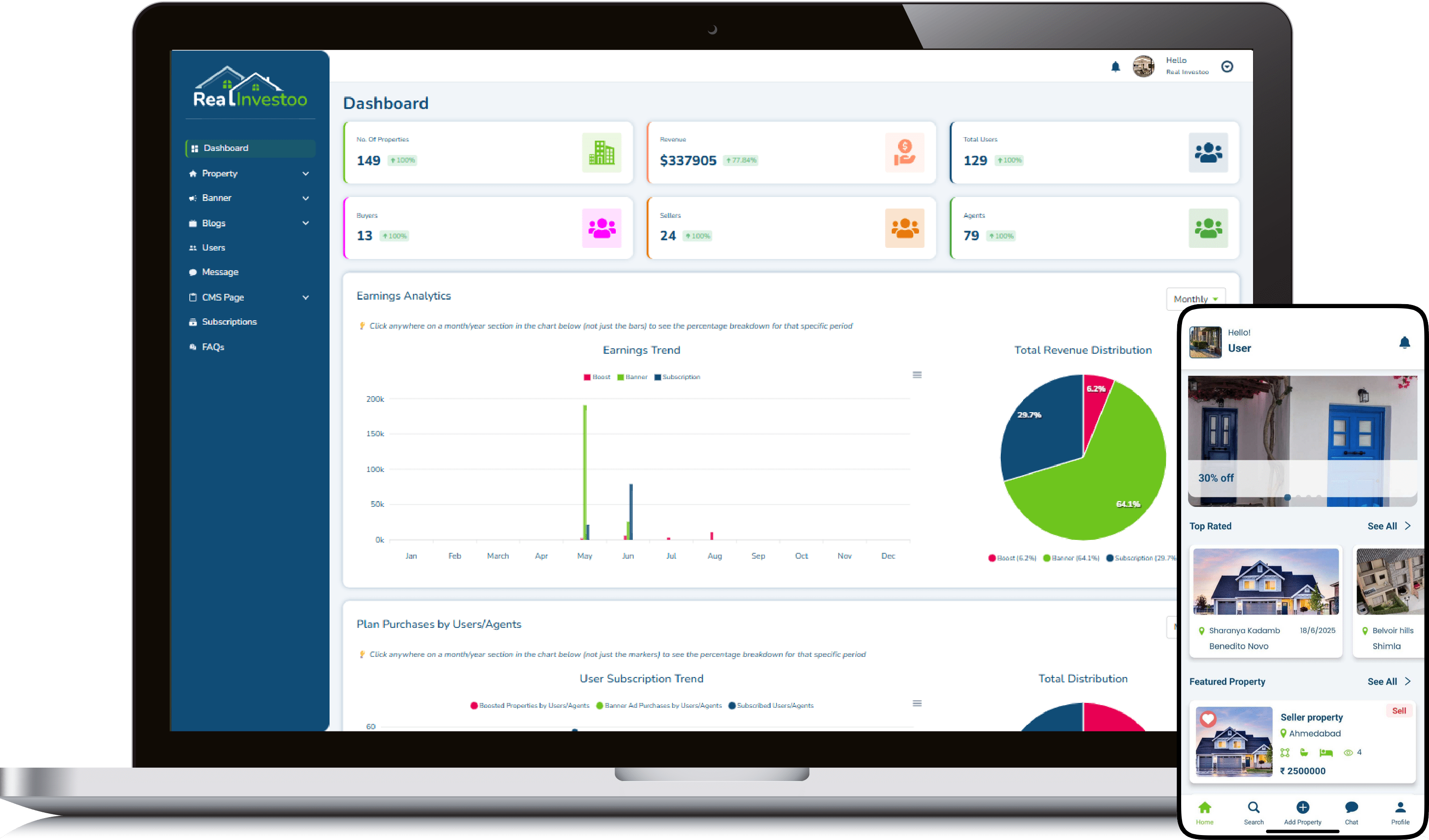
        • Intuitive dashboard gives instant insights into users, properties, revenue, and agents.

        • Real-time earnings analytics with monthly trend and pie chart breakdown.

        • Smart revenue categorization by Boost, Banner Ads, and Subscriptions.

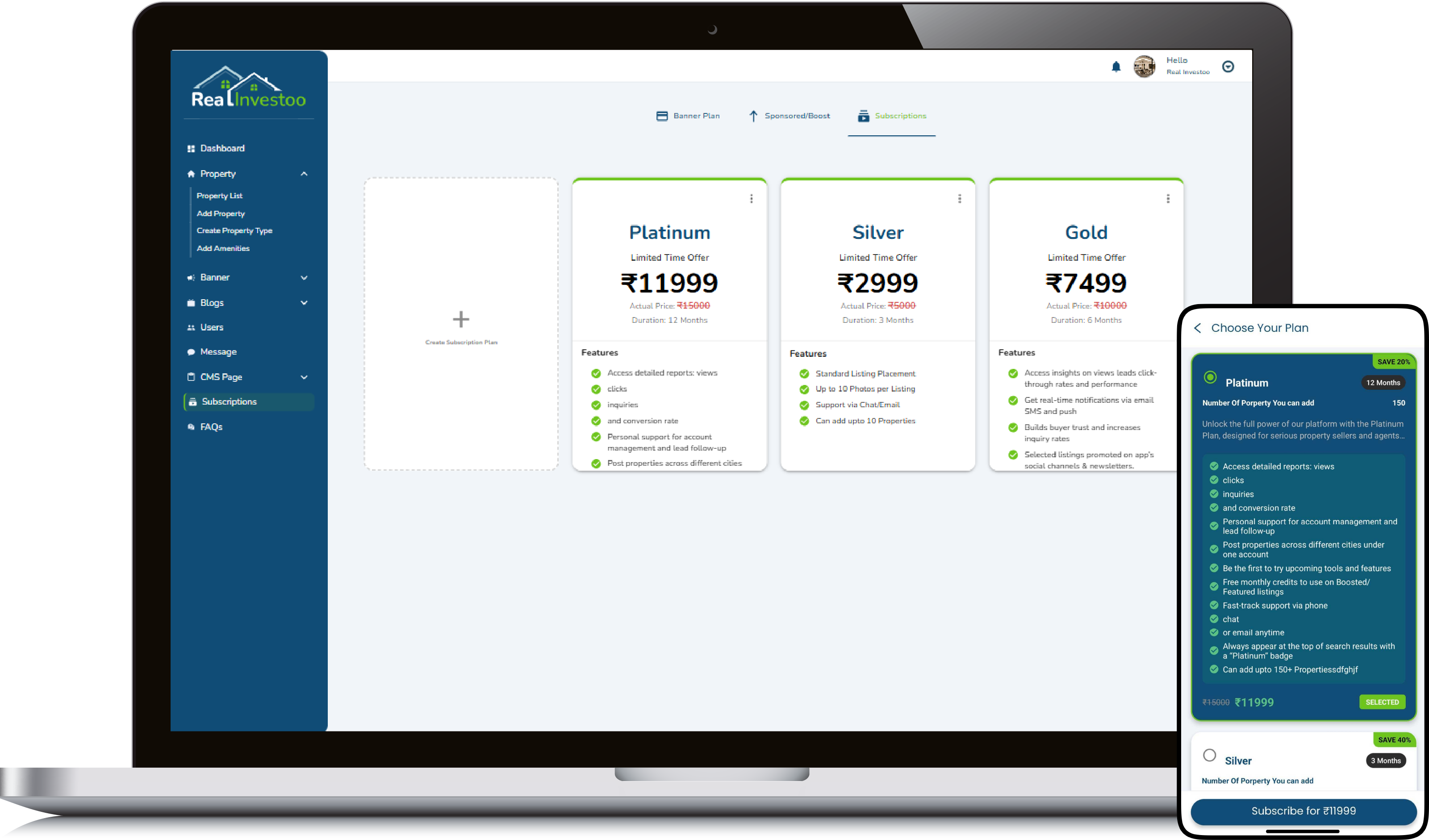
        • Fully manageable CMS, banners, blogs, messages, and subscriptions from one panel.

        • Role-based user tracking: buyers, sellers, and agents with total user count.
        Admin Panel Feature

        Admin Panel Feature

        • Seamlessly manage every listed property with edit, view, and delete at your fingertips.

        • Smart filters, real-time search, and draft visibility make property management effortless.

        • Instantly track property type, status (Sell/Rent/Lease), location, and views in one clean table.

        • Admin-level control with instant updates across 69+ properties, scale made simple.

        • Visual status tags (Sell, Lease, Rent) make portfolio oversight intuitive and quick.
        Admin Panel Feature

        User Feature

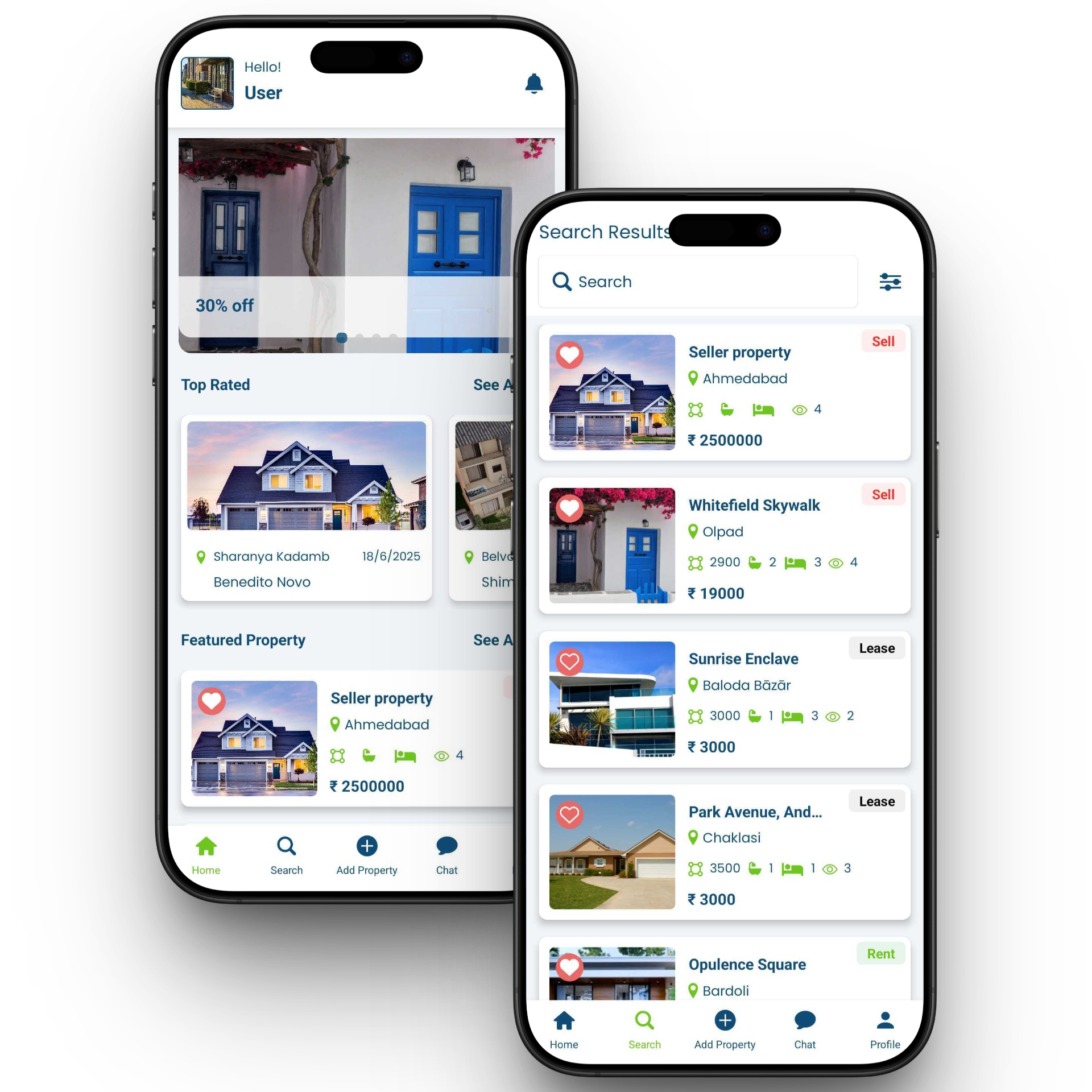
        • Personalized dashboard with user greeting and clean UI.

        • Discover top-rated properties with location and availability.

        • Highlighted featured listings with price, stats, and lease tag.

        • Easy bottom navigation for home, search, add, chat, and profile.

        • Detailed property cards with date, location, and images.
        User Feature

        User Feature

        • Powerful property search with location-based results.

        • Clear Sell, Lease, and Rent status tags on listings.

        • Favorite/heart feature for saving preferred properties.

        • Compact listing cards with area, beds, baths, and view count.

        • Integrated price display for instant decision-making.
        User Feature

        Food Delivery App

        Admin Panel Feature

        • Live Order Tracking get real-time updates from order placement to delivery.

        • Vendor & Menu Management  add, edit, and organize menu items with ease.

        • Flexible Commissions & Analytics set vendor rates and monitor sales performance.

        • Review & Feedback Control approve, reject, or reply to customer reviews.

        • Promotions & Campaigns create and schedule discounts, coupons, and offers.
        Admin Panel Feature

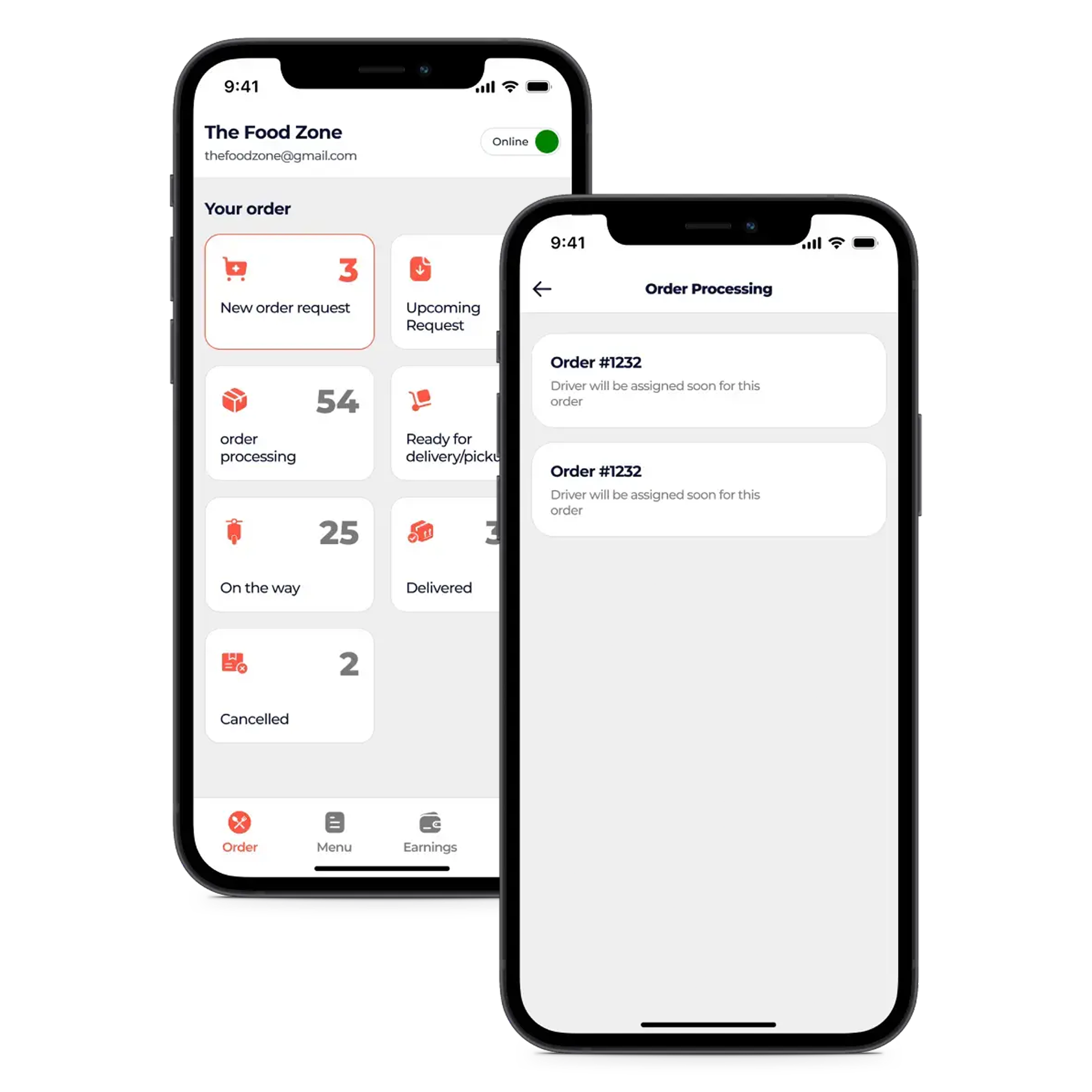
        Restaurant Panel Feature

        • Live Order View to monitor incoming, in-progress, and completed orders in real time.

        • Menu & Price Editor for quickly updating dishes, descriptions, and pricing.

        • Discount Engine to create, schedule, and manage promotional offers.

        • Delivery Settings to control service areas, timings, and delivery charges.

        • Revenue Dashboard with instant sales, earnings, and performance stats.
        Restaurant Panel Feature

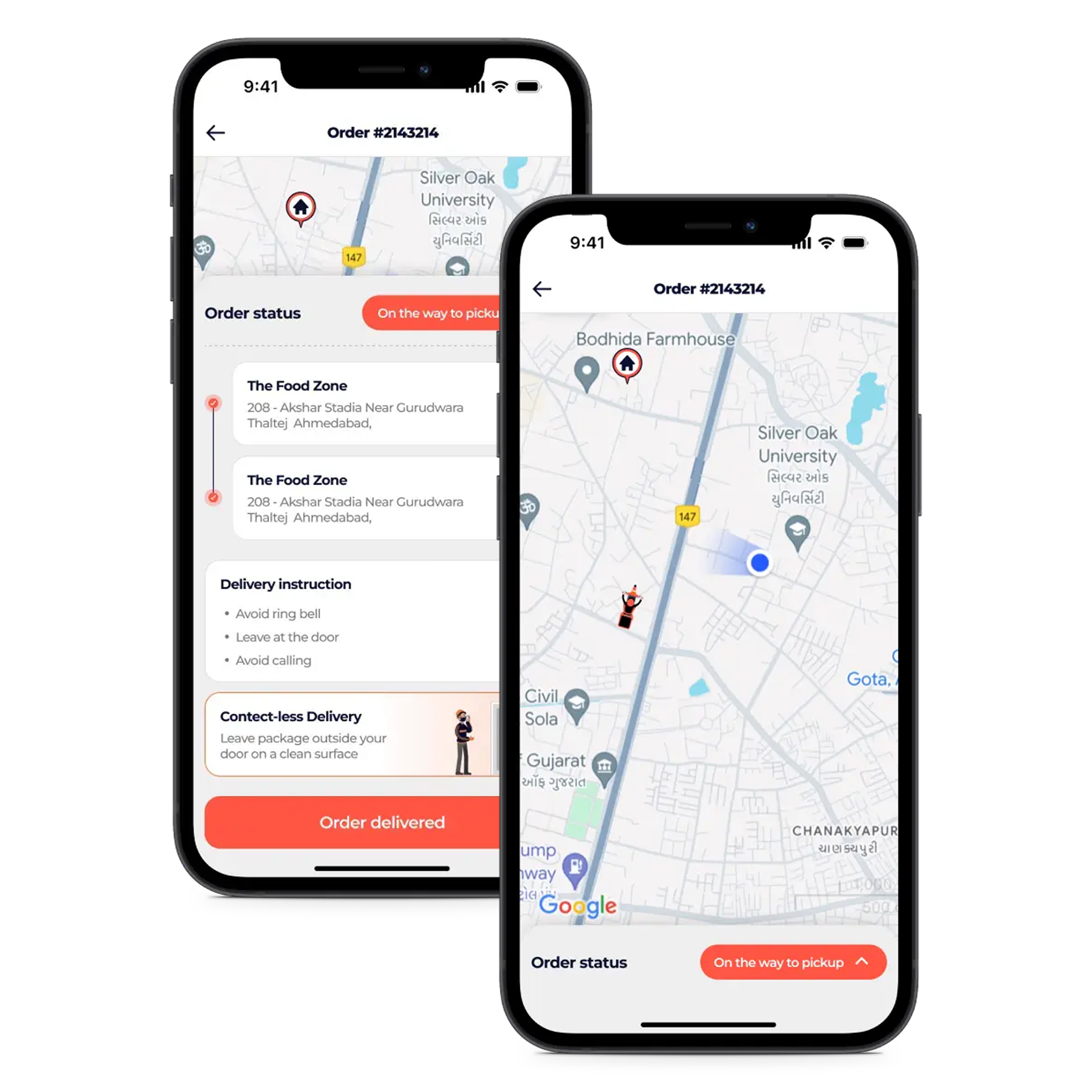
        Delivery Partner Feature

        • Instant Alerts for new orders, status updates, and important notifications.

        • Smart Navigation with integrated maps for fastest delivery routes.

        • Earnings Tracker to view daily, weekly, and monthly income.

        • Status Management to update availability and delivery progress in one tap.

        • Shift Toggle to go online or offline as per delivery schedule.
        Delivery Partner Feature

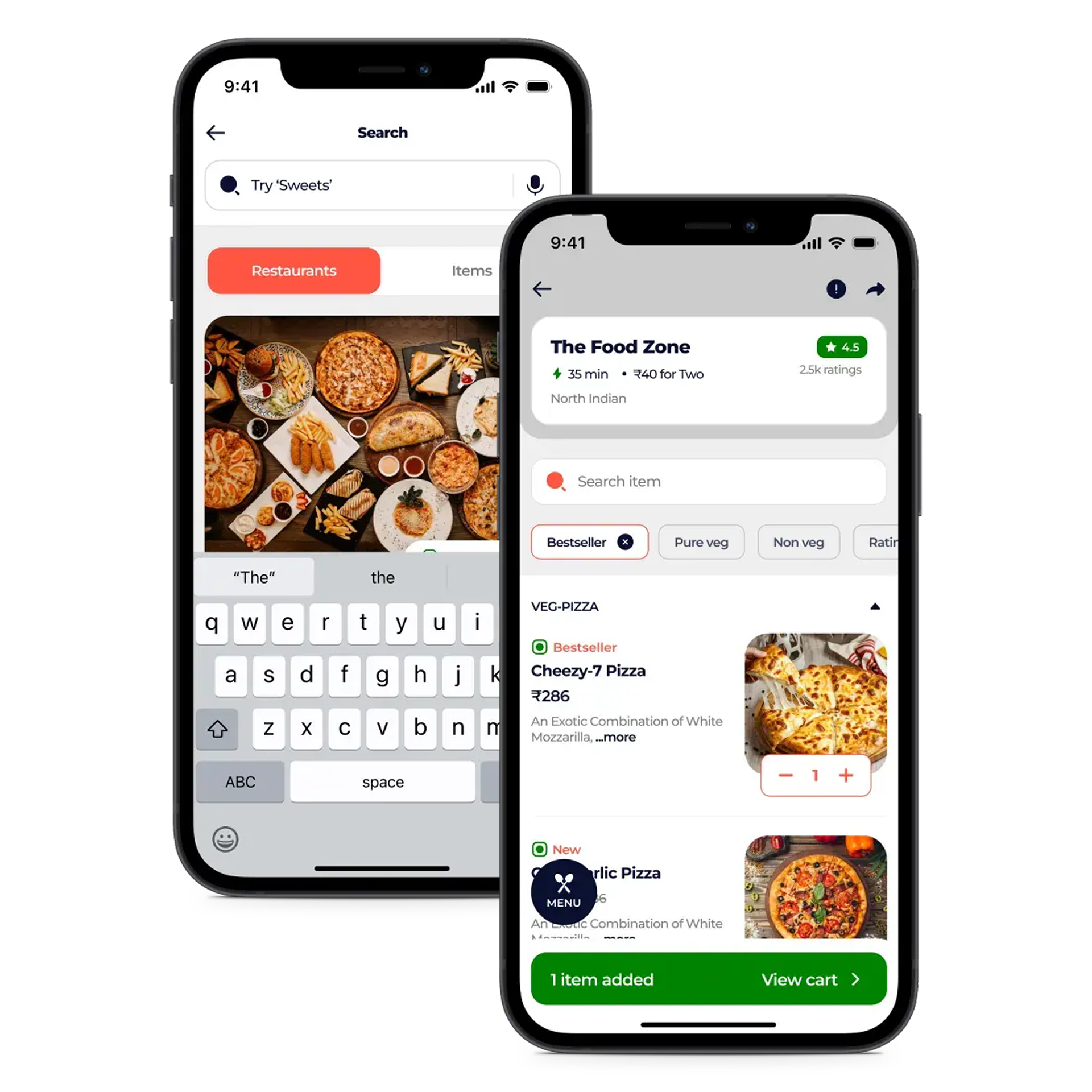
        Customer App Feature

        • Smart Location Detection  Accurately match with nearby restaurants and delivery options.

        • Intuitive Search & Filters  Quickly find meals by cuisine, price, or ratings.

        • One-Click Cart & Checkout  Review orders and pay securely in seconds.

        • Detailed Restaurant Profiles  View menus, ratings, and contact information easily.

        • Easy Custom Orders  Personalize dishes before placing your order.
        Customer App Feature