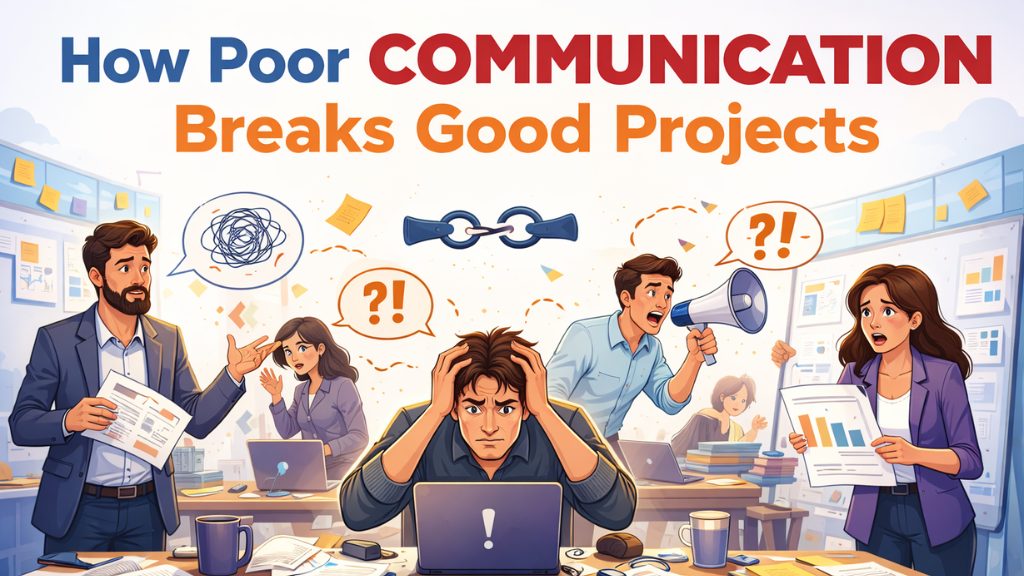
Imagine this scenario: You have assembled a dream team of highly skilled engineers. You have a groundbreaking product idea and the budget to back it up. The project kicks off with high energy and enthusiasm. Yet, six months later, you are over budget, behind schedule, and the product you are building bears little resemblance to the original vision.
What went wrong? It wasn’t a lack of technical skill. It wasn’t a bad market fit. It was the invisible framework that holds every project together: communication.
At BrainerHub Solutions, we have seen countless “good” projects with great potential and talented people crumble under the weight of poor communication. It is the single most common, yet most preventable, point of failure in software development.
Here is the uncomfortable truth about how communication breakdowns can shatter even the most promising tech initiatives.
The Silent Killer of Success: It’s Not About “More Talking”
A common misconception is that communication problems stem from a lack of talking. In reality, the opposite is often true. Teams are drowning in Slack messages, endless email chains, and back-to-back Zoom meetings.
The problem isn’t the volume of communication; it’s the quality and clarity.
Poor communication is rarely a dramatic, shouting match. It’s a silent killer made up of subtle failures:
- Assumptions: A developer assumes “secure login” means standard username/password, while the stakeholder assumes it includes two-factor authentication and biometric scanning.
- Jargon vs. Business Logic: Developers speak in technical constraints, while product managers speak in user benefits. Without a translator, they talk past each other.
- The “Telephone Game”: Requirements pass from the client to a Project Manager, then to a Team Lead, and finally to a developer. By the time it reaches the person writing the code, the original intent is lost.
The Domino Effect of Misalignment
When communication is fractured, it triggers a domino effect that impacts every aspect of the project. Here is how it manifests on a practical level.
1. Scope Creep Disguised as “Clarification.”
When initial requirements are vague, they become a breeding ground for scope creep. A stakeholder might say, “I just assumed it would also do X.” Because it wasn’t explicitly ruled out in the initial, fuzzy conversations, the team feels pressured to add it. These “small clarifications” pile up, blowing up timelines and budgets.
2. The “Us vs. Them” Silo Mentality
Poor communication builds walls between departments. Designers create beautiful interfaces without consulting developers on feasibility. Developers build robust backends without understanding the frontend user flow. The result is a disjointed product where components don’t fit together, leading to friction and a toxic “blame game” culture.
3. The High Cost of Rework and Wasted Effort
This is the most damaging consequence. A team can spend weeks building a feature perfectly, according to their understanding, only to find out at the sprint review that it solves the wrong problem. This isn’t just lost time; it’s demoralizing for the team and frustrating for stakeholders. There is nothing more expensive than having to build the same thing twice.
Signs Your Project is Suffering from “Communication Debt”
Just like technical debt, “communication debt” accrues over time and eventually demands to be paid with interest. Are you seeing these warning signs in your project?
- Surprise at Demo Day: Stakeholders are seeing features for the first time and saying, “That’s not what I meant.”
- Endless Clarification Loops: A simple task requires 50 Slack messages and a quick sync call to understand.
- Hidden Blockers: Team members are stuck for days because they are waiting on information or a decision from someone else, and nobody knows.
- Meeting Fatigue with No Decisions: You spend hours in meetings talking around problems, but leave without clear action items or owners.
How BrainerHub Bridges the Communication Gap
At BrainerHub Solutions, we believe that communication is a technical skill, just like coding. We don’t just build software; we build a shared understanding. Here is our approach to ensuring communication acts as a bridge, not a barrier.
We Start with “Why,” Not Just “What”
Before we write a single line of code, we ensure every team member understands the business goal behind a feature. When developers understand the “why,” they can make smarter decisions that align with the product vision, reducing the need for constant micromanagement.
Radical Transparency and Structured Check-ins
We replace chaotic noise with structured, valuable touchpoints.
- Daily Stand-ups: Focus on blockers and immediate next steps, not status updates.
- Regular Demos: Showcasing working software early and often to get feedback before it’s too late to pivot.
- Clear Documentation: Establishing a “Single Source of Truth” in tools like Confluence so that requirements aren’t hidden in email threads.
The Project Manager as a Translator
Our Project Managers are not just task-trackers; they are skilled translators who bridge the gap between technical constraints and business requirements. They ensure the signal-to-noise ratio remains high, protecting the development team from distractions while keeping stakeholders fully informed.
Conclusion: Great Software is a Conversation in Code
The success of a project is rarely determined by the brilliance of a single coder. It is determined by how well the entire team, from the CEO to the junior developer, can act as a single, cohesive unit.
Great software is essentially a conversation translated into code. If that conversation is muddled, confused, or incomplete, the final product will be too.
Don’t let poor communication be the hidden bottleneck that holds your “good” project back from being great.
Are you looking for a tech partner who prioritizes clear communication as much as clean code?
Contact BrainerHub Solutions today to discuss your next project.
sales@brainerhub.com
Do you have a project in mind? Talk to the experts.
Get in Touch
We’d love to resolve your queries with personalized assistance.
Contact us
Our Office
D-101/102/501/601 Titanium Square Building, Near Thaltej Cross Road, Sarkhej - Gandhinagar Highway, Ahmedabad, Gujarat 380059